
5 engineering loops I'd actually run.
This week's video covers the shift from one-shot prompts to recurring engineering loops, plus five concrete examples for dependencies, docs, releases, meeting prep, and RFC drift.
Ever since Boris Cherny (who created Claude Code) and Peter Steinberger (who created OpenClaw) started posting about loops, the term has been everywhere. So it's worth being precise about what a loop actually is. A loop is a recurring system, not a one-off prompt. It has four parts: a trigger that starts it, a goal that defines what "done" looks like, a reviewable artifact it produces, and a handoff point where human judgment takes over. The goal keeps the agent working until it gets there; the trigger brings it back the next time the work needs doing. That's what this week's video is about.
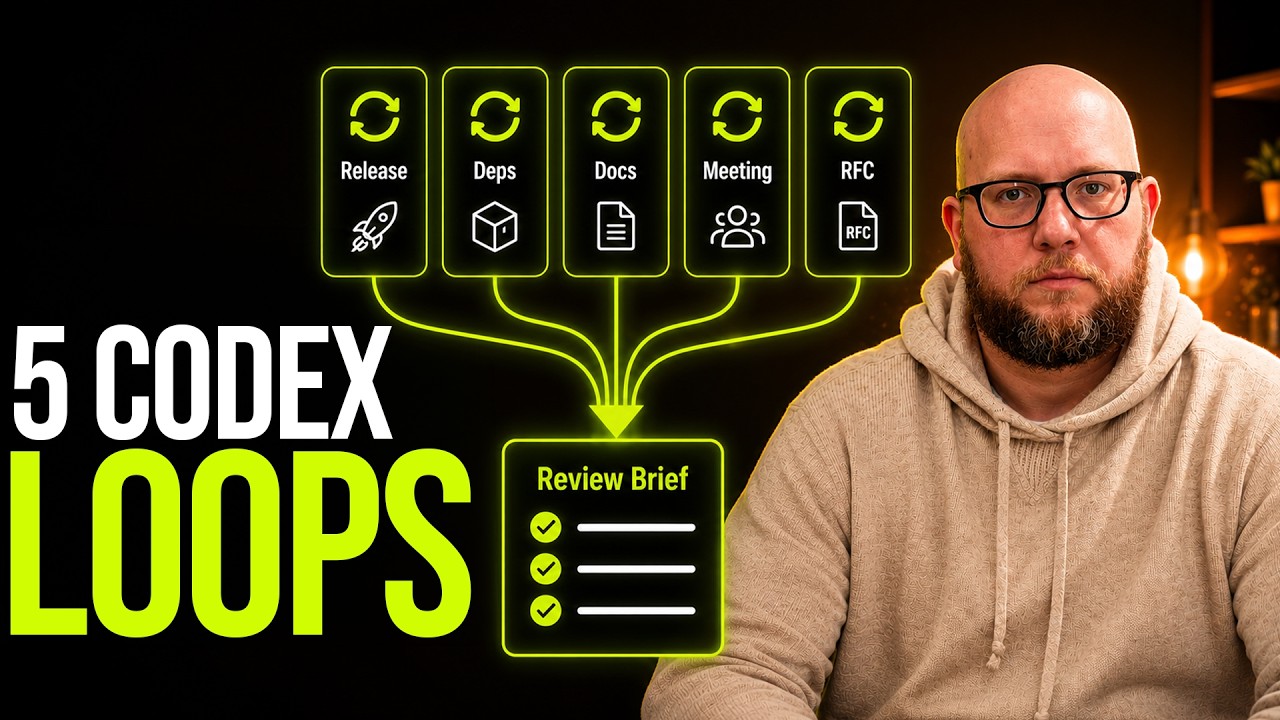
In the video I break down five loops I would actually run in real engineering work: dependency triage, docs drift, release review, weekly meeting prep, and RFC drift. None of these are flashy demos. They're the recurring checks teams forget, postpone, or do inconsistently because they sit in the annoying middle ground between "important" and "urgent." That middle ground is where loops earn their keep. They don't replace judgment. They gather the evidence, handle what's clearly safe, and hand the harder calls back to you.
Resources mentioned:
- All 5 loop prompts
- Claude Code routines
- Codex automations
- Cursor automations
- Goals in Codex
- Goals in Hermes (Nous Research)
- Goals in Mastra (alpha)
- Matthew Berman's Loop Library
- The inner and outer loops of automations (Gabriel Chua)
Why loops are suddenly practical
Two things had to ship for loops to work, and over the last few months both did. First, triggers. Codex, Claude Code, and Cursor all added ways to run an agent on a schedule or off an event (a GitHub push, a webhook) instead of only when you ask. Claude Code calls them routines; Codex and Cursor call them automations. That alone lets an agent act proactively instead of waiting on you. Second, goals. In Codex and Claude Code you can hand the agent a definition of done and let it run until it gets there. That can be deterministic, like "all tests pass," or a judgment call, like Peter Steinberger's "refactor until you are happy with the architecture." The trigger starts the work; the goal decides when it's finished.
This isn't a two-vendor feature. Nous Research's Hermes agent shipped a /goal command of its own, and Mastra, the TypeScript agent framework, added goals in alpha. The idea is moving past the big coding CLIs and into the frameworks teams build on. And they all landed on the same approach: a separate judge model decides, after each turn, whether the goal is actually met.
One clarification, because these words get used interchangeably and shouldn't be. A goal runs until a condition is true, then stops. A loop repeats while you're watching it. A routine runs on a schedule while you're away. Most of the checks in this issue are routines built around a goal, but "loop" has become the umbrella for the whole pattern, so that's how I'll use it here.
Put those together and the question you're answering changes. You stop asking which prompt to write and start asking which recurring engineering loop should exist here. Has something drifted? Did a release miss anything? Are the docs still true? Are we walking into the team meeting with the right evidence in hand?
Not everything needs a loop. If all you want is "tell me when X happens," that's a notification. A loop is for the next step up: "tell me what X means, and what to do about it."
The pattern I trust most: evidence first, judgment second
All five loops share the same boundary, even if they don't all stop in the same place. Each one handles what's unambiguous and leaves the judgment calls to a human. Some just gather the evidence and hand it over. The dependency triage loop goes further. A notification would only tell you "12 Dependabot PRs are open." This loop actually works the queue, then reports what it did:
# Dependabot Triage (6 PRs)

## Merged (clearly safe)
- pydantic 2.7 → 2.8: patch, no breaking changes
- eslint 9.12 → 9.13: patch

## Fix pushed (CI was failing)
- jest 29 → 30: updated config for the new API, tests green

## Left for you (needs judgment)
- next.js 14.2 → 15.0: major bump, breaking app-router changes
- openssl patch: security-sensitive, worth a human look
It merges the safe ones, fixes the failing builds, and leaves only the risky ones for you. Knowing what not to touch is the whole design. For engineering teams, the failure mode isn't only "the automation was wrong." It's "the automation made a decision nobody noticed it was making."
The docs drift loop tells you which pages no longer match the code. The release review loop tells you what changed and what's still unresolved. The RFC drift loop points to the parts of the system that no longer match the decision someone wrote down. Each one is useful because it sets up a decision instead of pretending to be one. I let the loop make the obvious calls. The ones that could actually break something, I make myself.
There's a second loop hiding in that handoff. When you correct the artifact, your edits are context: what you kept, what you cut, what you'd never send. The inner loop brings context to the work; the outer loop learns from your review and makes the next run start closer. The diff between what it produced and what you actually used is evidence worth capturing, not discarding. (Credit to Gabriel Chua for that framing.)
Where teams should start
If you want to try this pattern, don't reach for the most ambitious workflow in your backlog. Start with a recurring engineering check someone already does badly by hand: a weekly release review, a docs drift pass after code changes, a pre-meeting status brief, or a check against architectural decisions written down three months ago that quietly drifted since.
That last one, the architectural-decisions check, is RFC drift. It's the most ambitious of the set and the one I'm still building myself, so start with one of the other three. Treat RFC drift as a direction more than a finished recipe.
Those are good first loops because the artifact is easy to inspect. You can tell whether the loop saved time, surfaced something real, or crossed a boundary it shouldn't have. That's a much faster feedback cycle than handing an agent a large multi-step process and hoping the whole thing holds together on the first try.
One note on rollout, because the order matters more than the tool. Get one manual run working reliably first. Turn those instructions into a reusable skill. Wrap it in a loop with a gate and a stop condition. Only then put it on a schedule. Scheduling something you haven't proven by hand is how loops fail quietly: they don't crash, they bill you in silence. Give every loop a token cap, and judge it on cost per accepted change, not how good the demo looked.
If you're already experimenting with Codex, Claude Code, or Cursor automations, reply and tell me which recurring engineering check you'd hand to a loop first. And if your team wants help figuring out where loops belong, where the review boundaries should sit, or how to turn these into something production-safe, book an intro call.
Damian


Add a comment: