
What You Missed in Power Apps (and What's Coming Next)
A lot has happened in the Power Apps world and I'm a bit late, I know. But here's the recap:
Code Apps are GA
As of February 5, Code Apps are officially out of preview. You can now build full web apps in React, Vue, or whatever framework you want, in your own IDE, and deploy them into Power Platform as governed assets. I haven't built anything with it yet, but I could see myself testing this in a future video. Using Claude Code for example and vibe coding an app like that.
For pro developers who never wanted to touch canvas apps, this is their way in. And Microsoft is clearly betting big here.
Vibe Coding at vibe.powerapps.com
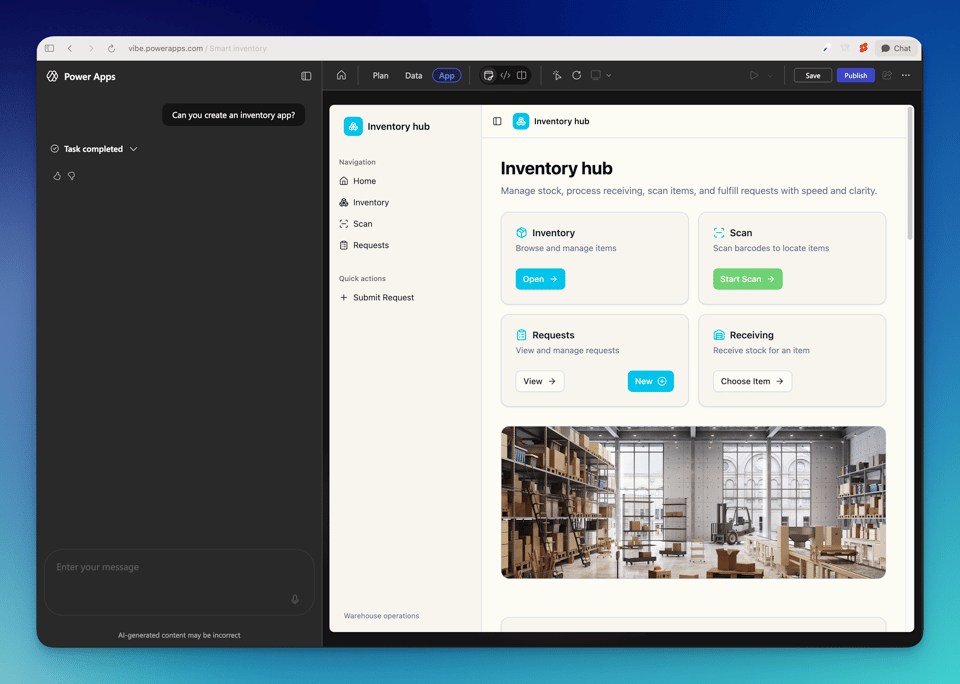
"Vibe coding" leads me to the next big update: Microsoft launched a new app building experience where you describe what you want in plain language and AI agents generate your data model, user stories, and a full React app on Dataverse. Still in preview, US region only, and English only. But I actually was able to test it and it's a pretty interesting experience. Don't ship production apps with this yet.
As a prototyping tool it's impressive. The generated apps look surprisingly good. Complex logic still breaks sometimes, but you can tell it to fix things in plain text and it rewrites the code. But be careful with AI vibe coded apps. As I talked about in a recent newsletter, you still need to understand what you're building, even if AI writes all the code. Especially if you're building for clients. You need to be able to explain how everything works.
Modern Controls Got a Quality Overhaul
Let's talk about canvas apps. Microsoft pushed updates to 9 modern controls: Text, Number Input, Date Picker, Text Input, Tab List, Combo Box, Radio, Link, and Info Button. The Combo Box now handles thousands of items with server side filtering. Date Picker is finally truly read only in DisplayMode.View. Text Input fires OnChange on blur instead of every keystroke (huge for performance).
If your apps use older versions of these controls, you'll see an update notification in Studio.
New Card Control + Theme Copy Paste
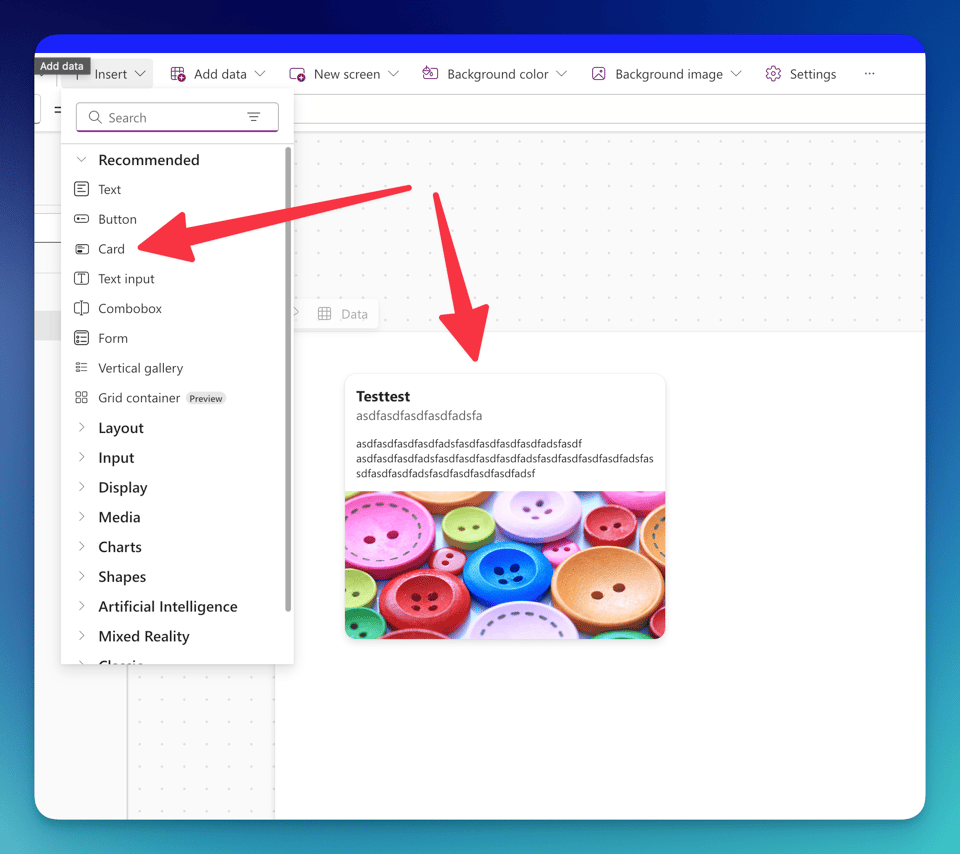
There's a new Card control (preview) for canvas apps. It's a layout aware container for structured info like summaries, tiles, and previews. Adapts to vertical or horizontal layouts automatically and follows Fluent UI. I like it. It's looking good and I also like that Power Apps gets the attention and more components like that. I started building PowerLibs.com because of that lack of components last year.
And theme copy paste is now GA. Copy an entire app theme as YAML, paste it into another app. Colors, typography, styling tokens, all of it. Sounds small but actually saves a ton of time when you're building multiple apps for the same client.
Dataverse MCP Server
The Dataverse MCP Server lets AI tools like Claude, GitHub Copilot, and Copilot Studio talk directly to your Dataverse data. Ask things like "show me my contacts" in natural language and it figures out the right tables and queries. They're also adding create_table, update_table, and delete_table operations soon.
Heads up: since December 2025, MCP tool access from outside Copilot Studio gets billed. Keep an eye on that.
PowerLibs.com MCP Feedback
Since we're on the topic of MCPs: thank you for all the feedback on the PowerLibs MCP! Also general feedback to PowerLibs and its last updates was great. Thanks for that. I'm constantly updating the platform and also the MCP. Next big thing I'm working on are full apps. From inventory app to project management app. The goal is to just copy and paste these full solutions into your own canvas.
New Video Dropping Wednesday
I'm editing my new video right now. Another "3 Hacks" style video. Aiming to post it Wednesday, so keep an eye out.
That's it. The Power Apps world is moving fast right now. If you want me to go deeper on any of these, just reply.
Cheers,
Dennis


