Defguard 1.5 - Mobile Clients, Biometric MFA

Dear Defguard Community,
We’re thrilled to announce the biggest Defguard release yet with 11 major features including:
Mobile Clients (iOS and Android) supporting External MFA (Google/Microsoft/Okta) and Internal/Defguard MFA with TOTP and Biometry!
Desktop Client adds External SSO/IdP MFA
MFA for WireGuard® VPN on Desktop via Mobile Biometry!
If your evaluation license expired and you would like to test this release, feel free to request new one at https://defguard.net/pricing/
Now Let’s dive deeper!
Mobile Clients
Defguard VPN Clients for iOS and Android are publicly available in App Store and Play Store.
Introduced Biometric Multi-Factor Authentication with
TOTP/Email codes for Internal MFA methods
External SSO MFA (when using Google, Okta, Microsoft, JumpCloud or other providers)
Real time configuration updates
Split tunneling - possibility to choose between Predefined or All traffic
Here is the short video overview:
Desktop Client now has Biometric MFA too!
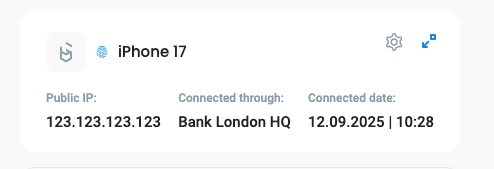
After enabling Biometry on mobile, we create an additional private/public key pair, with the private key stored on the OS backend secure storage, and inform in the UI, that this device now can be used for MFA using Biometry on a desktop client:
Using Mobile App MFA in Defguard
1. Open the Desktop Client and connect to a VPN location with Internal MFA.
2. When prompted, select “Mobile App” for MFA.
3. A QR code will appear on your desktop — scan it with the Defguard Mobile App (little icon on the bottom).
4. On your phone, confirm with FaceID, fingerprint, or other biometrics - that enables access to device secure storage.
5. That’s it! Your connection is now secure, and the VPN will complete the normal authentication automatically.
Here is the video overview:
Multi-Factor Authentication with External SSO/IdPs
From 1.5 when an External SSO/IdP is configured in Defguard on each location you can choose between:
Internal MFA - connecting to this location will require Mobile Biometry, TOTP or Email codes
External MFA - each connection will require to authenticate in the External SSO that is configured
Desktop Client seamless enrollment with a button click
Updating Desktop client to Tauri v2 finally enabled us to deliver the quickest way to configure a desktop client, with just one click, see it in action:
Security Posture
As an open company, we’ve launched public processes like the Architecture Decision Record and a page with pentesting findings & fixes (unique in VPNs, as far as we know).
There is much more to this release, including:
JumpCloud Directory Sync
Possibility for admins to reset users MFA
Display event metadata in Activity Log
You can read more in full release notes 🎉
Release 1.5 with Mobile apps, External SSO MFA, MFA with Biometry | Defguard Blog
This is the biggest, most feature packed release we have ever done! We’ve introduced 11 major features and nearly 100 bugfixes.
Share Feedback: Join our Matrix channel to report issues and collaborate.
Thank you for building secure networks with Defguard!
Best regards,
The Defguard Team
defguard.net | https://github.com/DefGuard/defguard

Add a comment: