|
If this email doesn't render correctly, click the title above to view in browser.
|
|
|
|
Jump to your language / Przejdz do swojego jezyka:
|
|
|
|
(links work in browser view / linki dzialaja w przegladarce)
|
|
|
|
Your Alpha Access is Ready
The moment you've been waiting for — BowSmith is ready for testing.
You're one of the first people to get access. This is a real alpha: things might break, features are incomplete, but the core is solid enough to start using.
How to get the app
BowSmith is distributed through Apple's TestFlight — Apple's official beta testing platform.
|
2
|
Step 2: Join the BowSmith Beta
|
|
Reading on your phone?
Tap the button:
|
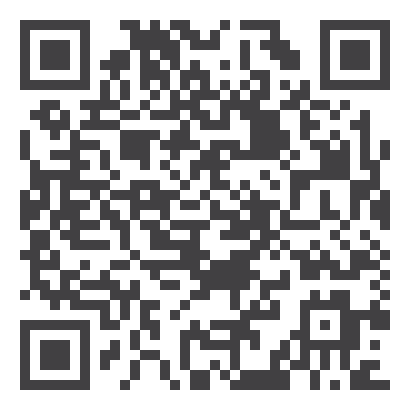
On computer?
Scan with phone:
|
|
3
|
Step 3: Install BowSmith
Once you accept the invite, tap "Install" to get the app.
|
What to do first
After installation:
|
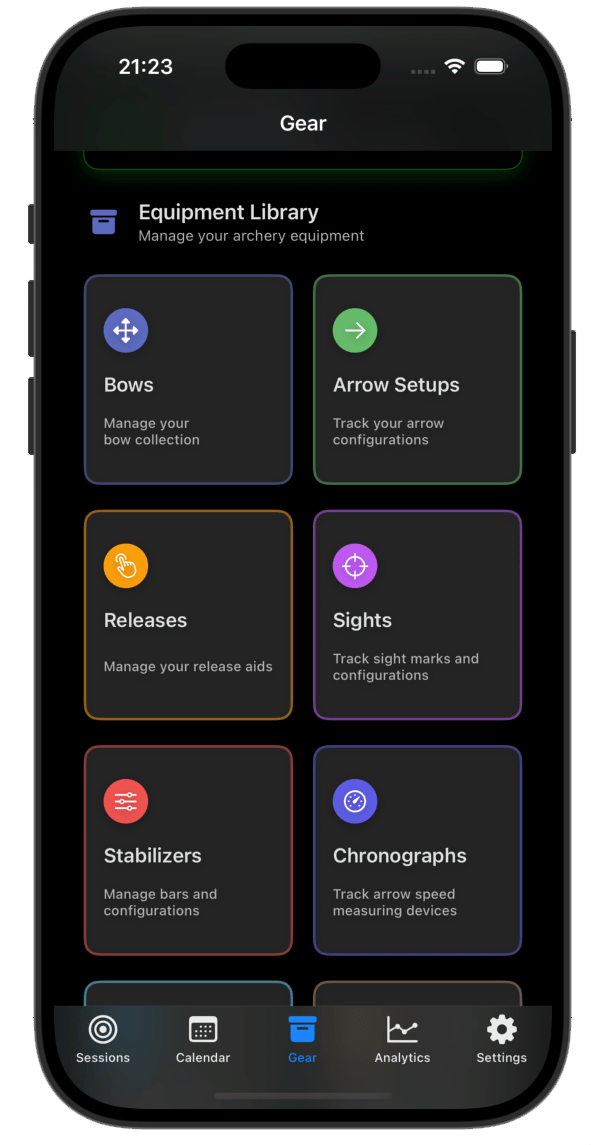
1. Start by creating your gear catalogue — add your bows, arrow setups, stabilizer setups and accessories
|
|
2. Explore the interface — tap around, see what makes sense
|
|
3. Check out Settings to customize your profile — friend invitations and social sharing coming soon
|
|
4. Set up your first session and link your gear
|
Tip: Building your gear catalogue first unlocks the full benefit of session setups and future analytics.
|
|
Let me know you're in
Please reply to this email once you've installed the app. Just a quick "I'm in" is perfect.
This helps me know who's actively testing so I can:

|
Send you the right updates
|
|
|
Prioritize your feedback
|
|
|
Keep the tester list accurate
|
Having trouble?
|
TestFlight says beta is full? — Reply and I'll check
|
|
Link not working? — Make sure you're opening on iPhone, not desktop
|
|
Stuck somewhere? — Just reply, I'll help
|
Let's build something great together.
|
|
|
|
|
Twoj dostep do wersji alfa jest gotowy
Chwila, na ktora czekales — BowSmith jest gotowy do testowania.
Jestes jednym z pierwszych, ktorzy otrzymuja dostep. To prawdziwa alfa: cos moze nie dzialac, funkcje sa niekompletne, ale podstawy sa wystarczajaco solidne, zeby zaczac uzywac.
Jak zdobyc aplikacje
BowSmith jest dystrybuowany przez TestFlight od Apple — oficjalna platforme do testowania wersji beta.
|
2
|
Krok 2: Dolacz do bety BowSmith
|
|
Czytasz na telefonie?
Kliknij przycisk:
|
Na komputerze?
Zeskanuj telefonem:
|
|
3
|
Krok 3: Zainstaluj BowSmith
Po zaakceptowaniu zaproszenia kliknij "Zainstaluj", aby pobrac aplikacje.
|
Co zrobic najpierw
Po instalacji:
|
1. Zacznij od stworzenia katalogu sprzetu — dodaj swoje luki, zestawy strzal, stabilizatory i akcesoria
|
|
2. Poznaj interfejs — klikaj, sprawdz co ma sens
|
|
3. Sprawdz Ustawienia, aby dostosowac swoj profil — zaproszenia dla znajomych i udostepnianie wkrotce
|
|
4. Ustaw pierwsza sesje i polacz ja ze swoim sprzetem
|
Wskazowka: Stworzenie katalogu sprzetu najpierw odblokuje pelne korzysci z konfiguracji sesji i przyszlej analityki.
|
|
Daj znac, ze jestes
Prosze, odpowiedz na tego maila po zainstalowaniu aplikacji. Wystarczy krotkie "Jestem".
To pomoze mi wiedziec, kto aktywnie testuje, zebym mogl:
|
|
Wysylac Ci odpowiednie aktualizacje
|
|
|
Priorytetyzowac Twoje uwagi
|
|
|
Utrzymywac aktualna liste testerow
|
Masz problemy?
|
TestFlight mowi, ze beta jest pelna? — Odpowiedz, sprawdze
|
|
Link nie dziala? — Upewnij sie, ze otwierasz na iPhone, nie na komputerze
|
|
Utknaeles gdzies? — Po prostu odpowiedz, pomoge
|
Zbudujmy razem cos wspanialego.
|
|
|
|
You're receiving this because you signed up at bowsmith.app
Otrzymujesz ta wiadomosc, poniewaz zarejestrowales sie na bowsmith.app
Unsubscribe / Wypisz sie
|
|