New in the second quarter of 2025
It's been a heck of a first half of 2025 here at Bluesky Feed Creator HQ. Our team got tied up with a mid-term personal emergency, and while the service has lots of resiliencies built in, Feed Creator ended up somewhat mired after a period where we couldn't invest as much time as we'd usually like to in maintenance. However, many of you will have heard from Josh! Josh jumped in as a relief firefighter and has been an immense help. You can follow Josh here. Now, with the whole team back on deck, we've got lots of very exciting plans to keep making Feed Creator a powerful tool for building communities.
Improvements to pinned posts
Your pinned post options have never been better! We added lots of fun functionality here. When you pin multiple posts, they now appear in a carousel. You can use the arrows to go between them. But that's not all - the Pinned post settings button has some good stuff.
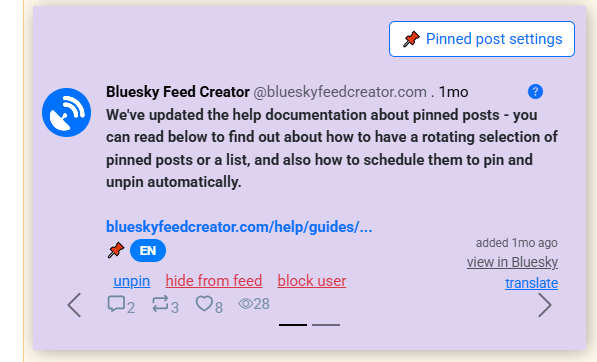
You can choose between list and rotating mode. In list mode, all pinned posts are visible in the feed. In rotating mode, you can choose between them appearing one after the other each time a new user loads the feed (Ordered) or showing a Random post. But wait, there's more! Each pinned post gets its own settings too.
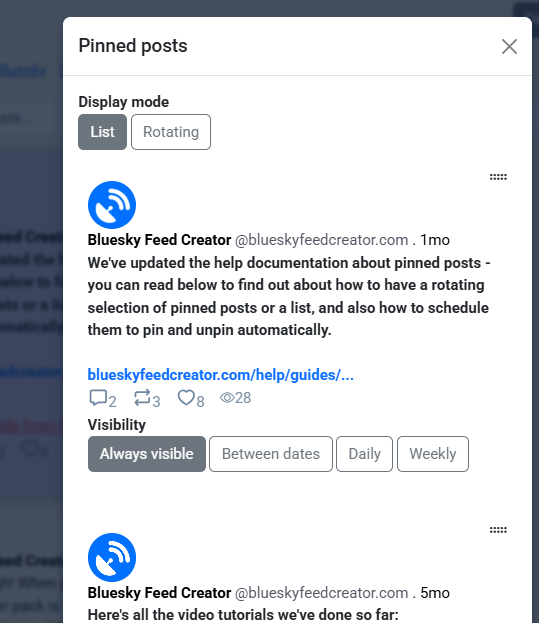
You can choose between the post being Always visible* or visible only on particular dates. Or, set a recurring pinned post if, for example, you run a weekly watch along or event and you've got a pinned post about it.
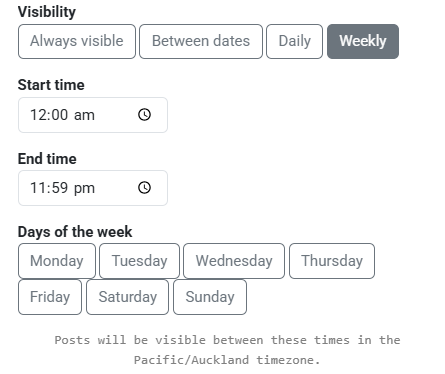
*though, a better way to think of this is Always active. If the post has this selected but you're using a rotating display mode, there will be times it's not visible because it hasn't been the randomly selected post. We have plans to streamline this terminology as we acknowledge it can seem confusing!
More new features!
Set your feed to queue
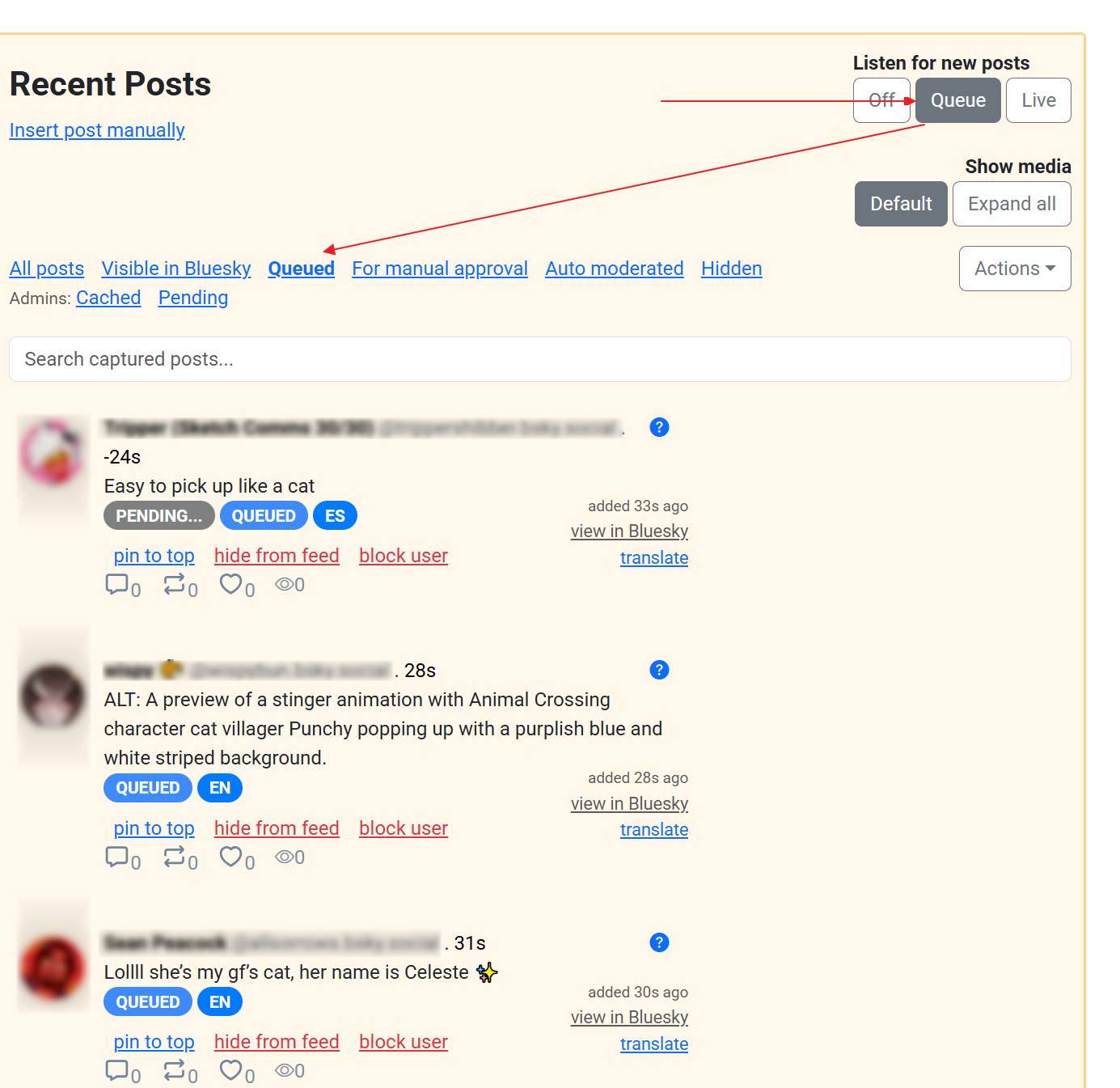
You can now pause your feed by setting it to Queue. When a feed is set to Queue, it still listens for and collects posts using the feed terms. They appear in your BSFC interface, but not in the live feed until you switch the feed behaviour back to Live. In the time that your feed is queued, it's still available for viewers to see on Bluesky - just not with the new posts which are being queued in the background. This is perfect if you want to make sure you're always aware of what's in your feed. You might choose to queue a feed overnight, or even while you're away on holiday or something like that. You can moderate queued posts, so you can be approving/denying, showing, hiding and pinning posts. But they will only show up in the live feed on Bluesky once you change the toggle to Live again.
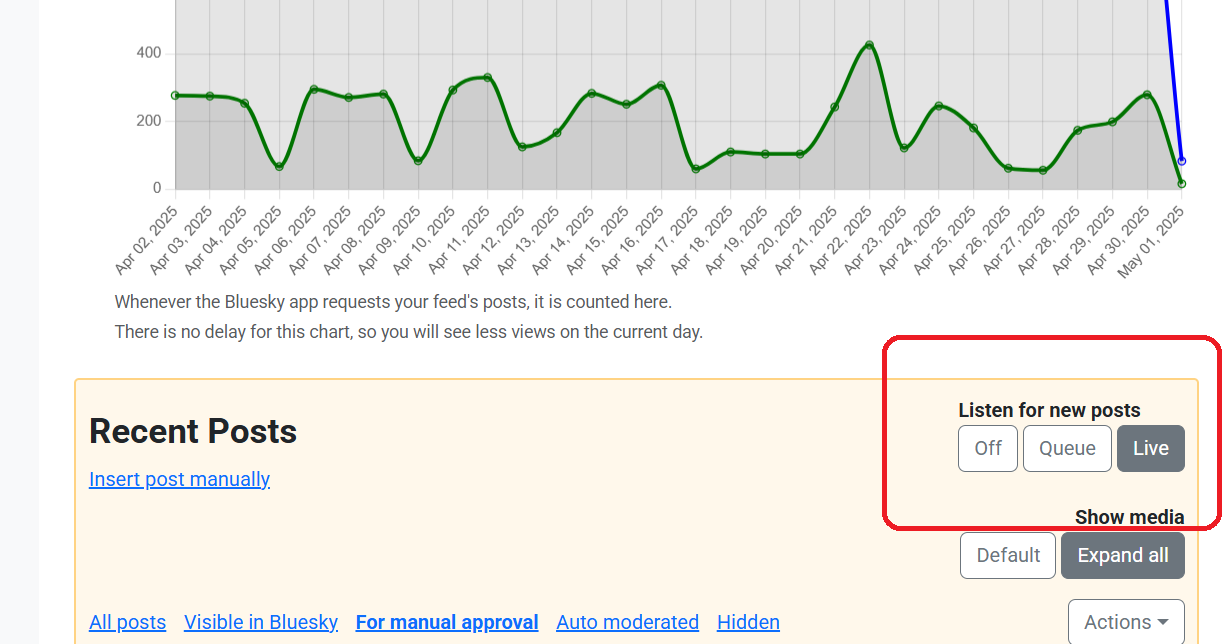
So now you have three modes available:
- Off - feed is not listening to posts. It is visible on Bluesky, but no new posts are entering it.
- Queue - the feed is listening for\, and collecting new posts\, but they are not visible on Bluesky.
- Live - the feed is listening for\, and collecting new posts\, and it is making them visible on Bluesky as they are collected/ approved.
Manual exclusions
We realised that manual approval terms weren't as fine a tool as we wanted, so we added manual exclusions. Manual exclusions are terms which send a post to manual approval if they are included. They work a bit differently to manual inclusions.
- Manual inclusions are inclusion terms specific to your chosen topic, which are sometimes problematic and so you want to approve them all before they go into the feed.
- Manual exclusions are terms that aren't specific to your topic, but ones that might be clues a post is outside your topic context. In a feed about sewing where you collect sew*, sewers might be a problem! So you could manually exclude sewer which would pull any posts mentioning the word sewer, so that you could make sure they were relevant to sewing before putting them in the feed.
Translate posts in Recent Posts
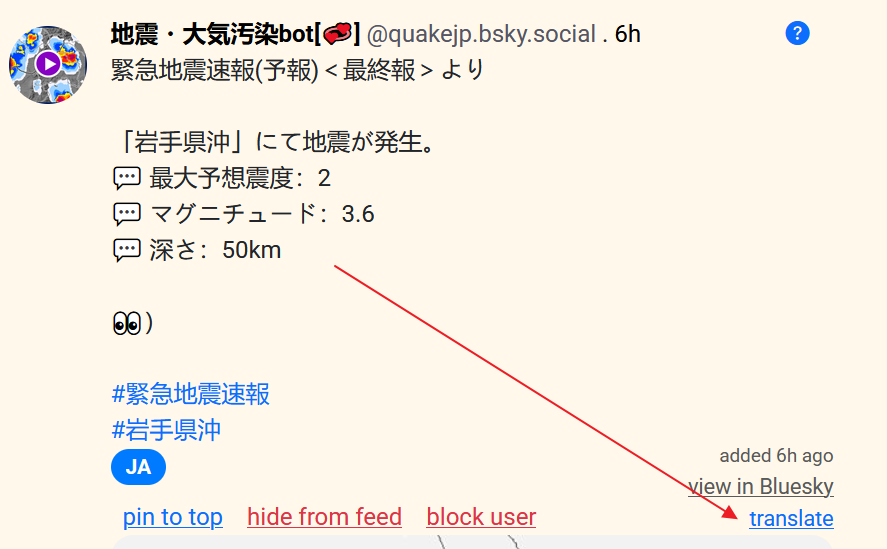
Now, you can translate posts right inside BSFC. Just click the translate button underneath "View in Bluesky" on each post.
More new features and tweaks
Adjustments to poster permission manual approval settings
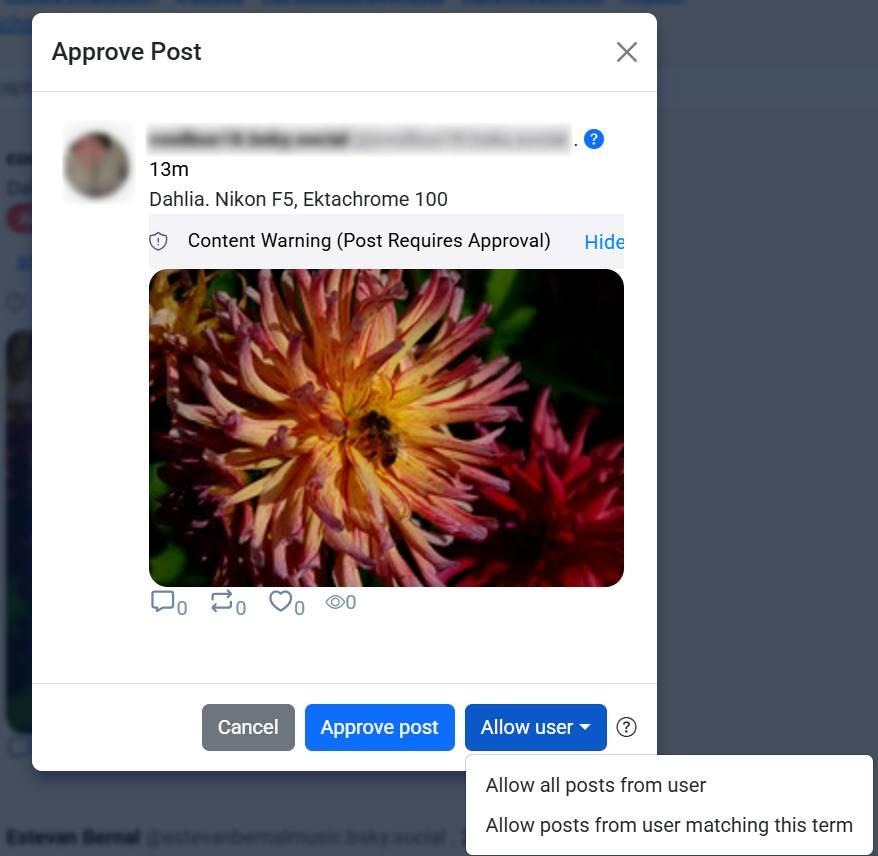
We made the controls finer for allowing users to post in your feed. When allowing a user now, you have two options:
- Allow all posts from user - all posts from this user will now be automatically approved even if their terms trigger manual approval (this is what the Allow user button has always done)
- Allow posts from user matching this term - posts from this user which trigger manual approval will be auto-approved for this term only - that is\, if you allow posts from Paul for term A\, all of his posts mentioning term A will be approved\, but not his posts mentioning other manual approval terms.
These settings can also be manually adjusted in the Allowed Users and Lists area of your feed, where you can amend a user's unique terms. As soon as any user is allowed in your feed, their user settings are inherited from the main feed. You can then make changes in the Unique terms tab of their user settings, e.g. giving some people different inclusion terms.
Sticky Save and Publish buttons
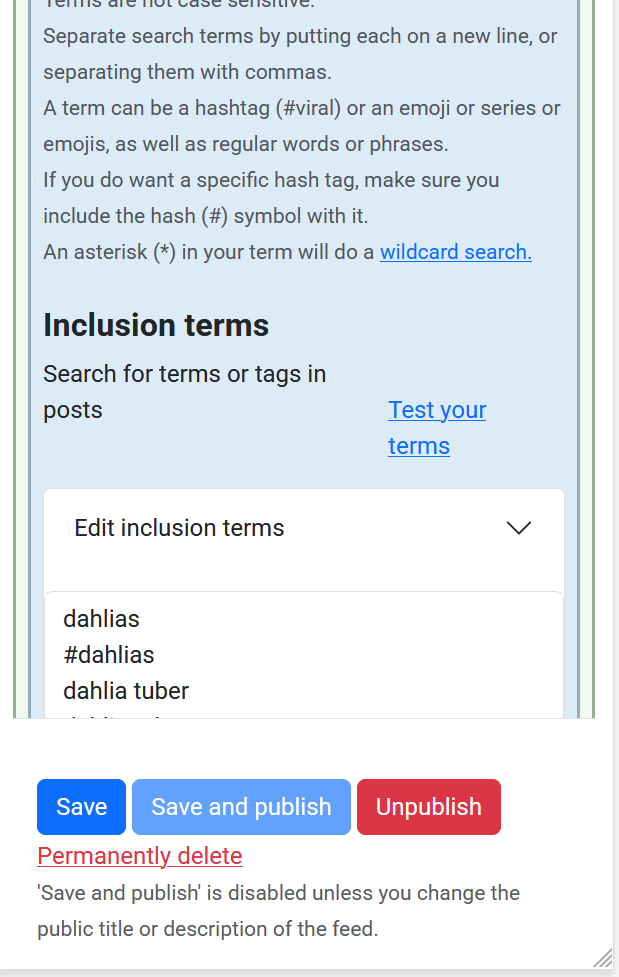
We made the Save and Publish buttons float with you from the top of your feed dashboard down to their usual home. This way, if you're making a series of changes to your terms, you can save as you go.
You can now have terms with commas (,)
Wanting a term that has a comma in it (such as, for example, "Jerry, no?")? This has been a problem in the past because our service looks at commas to separate terms. You can now use a comma inside a term with backslash ( \ ) used to escape the comma in your term box. The term, on Bluesky Feed Creator, should look like Jerry, no and the service will read it like "Jerry, no".
Quote of a particular user search modifier
You can create a term using quote_of: together with a Bluesky handle and this will collect all posts which quote a given author. For example, quote_of:blueskyfeedcreator.com will put all posts quoting our account into a feed. You do need the domain/last part of the handle you're using, which is .bsky.social for most users.
Donate link that you can use in your bio
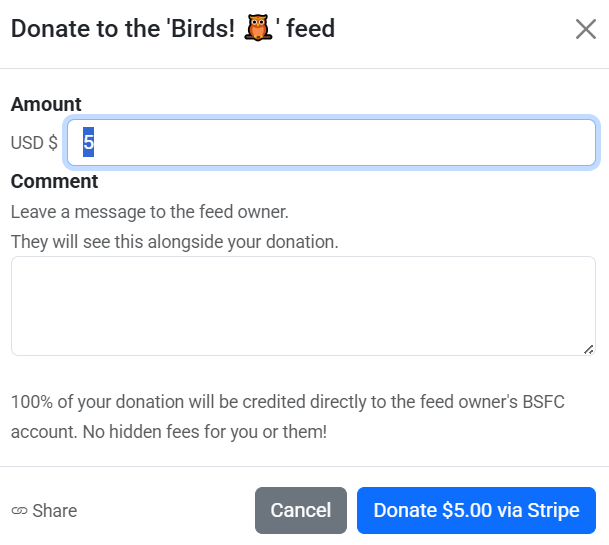
We've had our Donation shortcode available to you for a while, to pop on your public page so your feed viewers can contribute to feed hosting costs (and remember, you get the entirety of the donation - we take no fees). Now, you can also find a share link in the Donate dialogue box and this is a copy-able link that you can put in your profile or wherever you like. When people follow it, they'll be taken to your public page where they can make a donation via Stripe.
More help
New help documentation
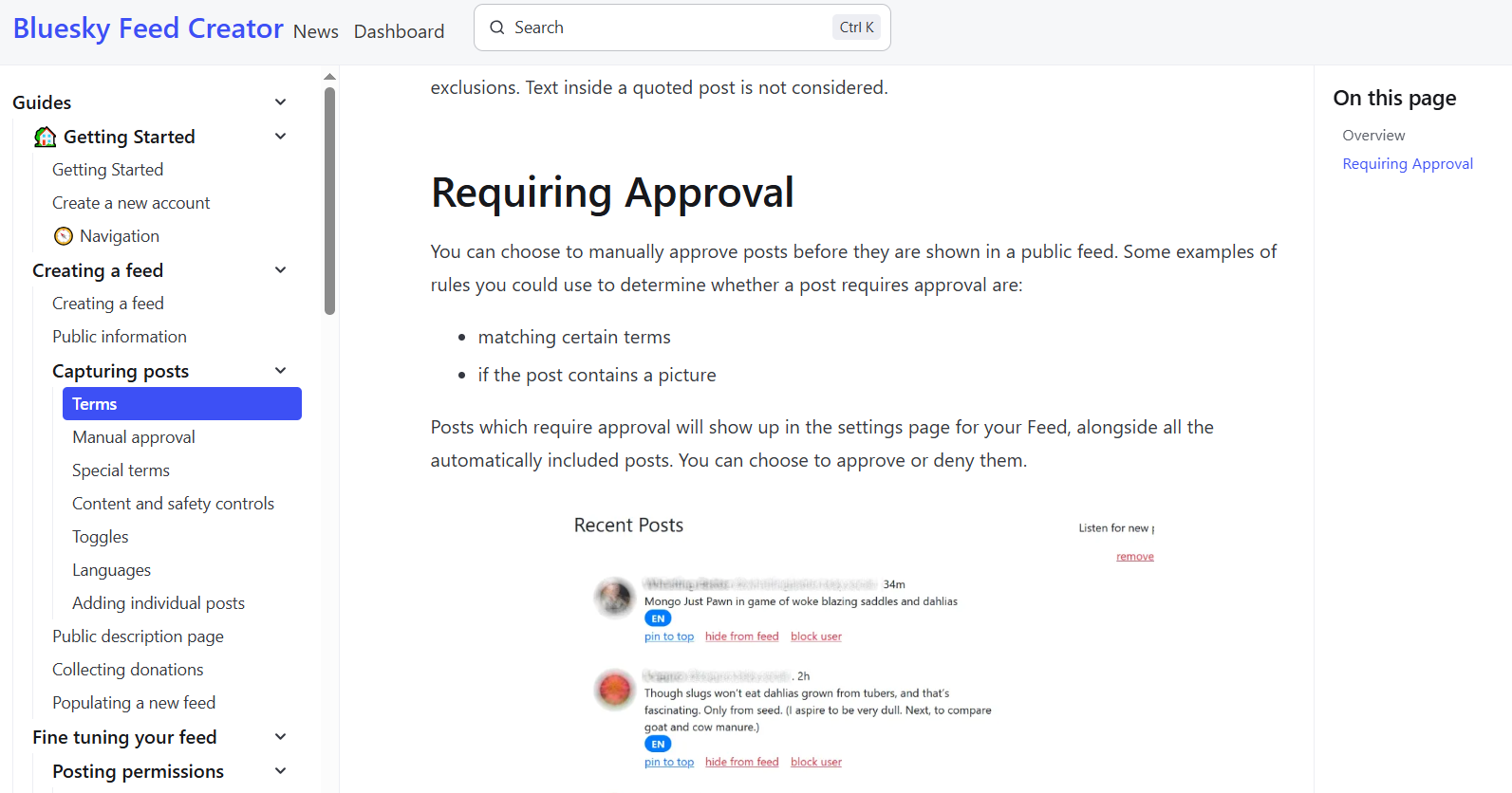
We retooled our help area to make sure you can get the help you need as easily as possible! This area remains a work in progress, and we've got more help on the way, especially for some of our finer features. While we get that organised, if you're looking for any documentation you used to find in the old help, you'll find a copy of the Legacy Help at the bottom of the menu on the left hand side.
Better 'why is this post in my feed' functionality
We tidied up what you get when you query why a post is, or isn't in your feed. Now, you'll see a neat table showing all of the terms the post matched, and whether those terms are includes, includes requiring approval, excludes or manual exclusions.
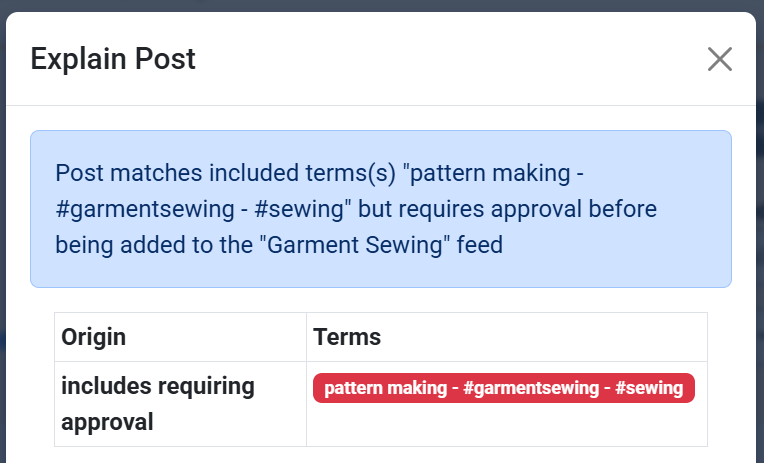 In this example we can see that the post matched an include requiring approval, and also didn't have either of the two exceptions that would have let it through.
New Auto Moderator functions
- New auto mod rule in the library: posts must have post text. This is for your link or image or video posts, and lets you stipulate that posts must include some text as well. You could reverse this with post_text notEqual "" which would mean you only get no-post-text posts.
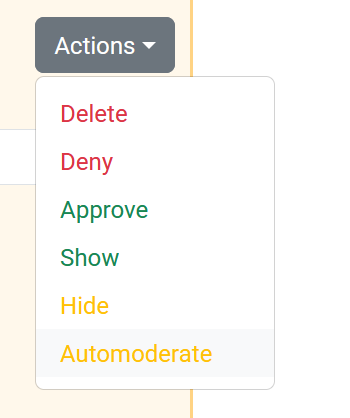
- Added a new auto mod rule? You can now reassess all (or a selection of - do this using the search bar) your captured posts with the new rule in play. Find this Automoderate functionality in the bulk actions available to you in the yellow Recent Posts area on the feed dashboard.
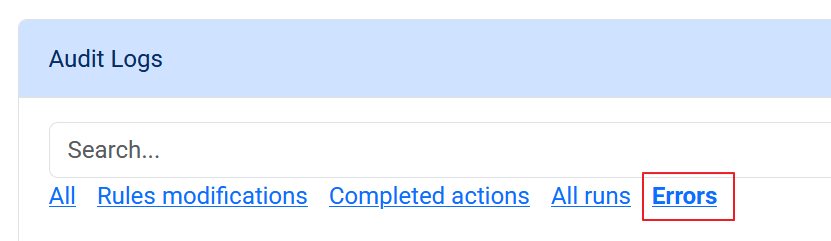
- You've now got an Errors tab in your Auto Moderator log. You should check here first if Auto Mod hasn't done what you expected. In the event that a post was being auto moderated and the service crashed, you'd find an error here.
Bug fixes and very minor tweaks
This is not a complete list!
- There was a bug with pinned post invites not appearing the BSFC interface. This has been fixed.
- Pinning a post could also return HTTP Error 500 and now does not.
- The Connect to Bluesky button now only shows up if you're not connected to Bluesky, and we shifted it to a spot where it makes more sense.
- Some feeds were erroneously receiving error messages about their post retention and throttling when no throttling was actually being applied.
- Opening a feed sometimes displayed the Saved message bar for no reason.
- On sign-up, new users could sometimes enter an email address instead of an account handle.
- Administrators couldn't few blocked users for a given feed unless they were also the owner (they can now).
- It was possible to see your feed dashboard interface with a 502 error message over the top of it.
- The video post indicator could also overlay if its associated image hadn't yet loaded in the interface.
- Unpublishing a feed when your account was disconnected wasn't returning an error, and instead silently failing. This now returns an error.
- Auto mod operator "is_post_in_feed" was always returning true.
- Quote posts would sometimes not show media in the quote post but would in the quoted post.
- The Scroll to posts button would sometimes not scroll far enough down the page.
- Moving quickly through the tabs in Recent Posts could cause posts from multiple tabs to show up interleaved.
- Sometimes on web, if the browser window was reduced in size and then enlarged again, the feed graph could stay the same smaller size instead of re-expanding.
