New in January 2025
New features!
New search operator minus (-) for terms with exceptions
You can use the minus search operator to specify "this term, except when a post also includes that term". For example, you might want all posts mentioning dahlia but not posts mentioning Dahlia as a character (in Final Fantasy).
Your term would be: dahlia - character - final fantasy
This would exclude all posts which have the word dahlia, but also mention the word character or Final Fantasy.
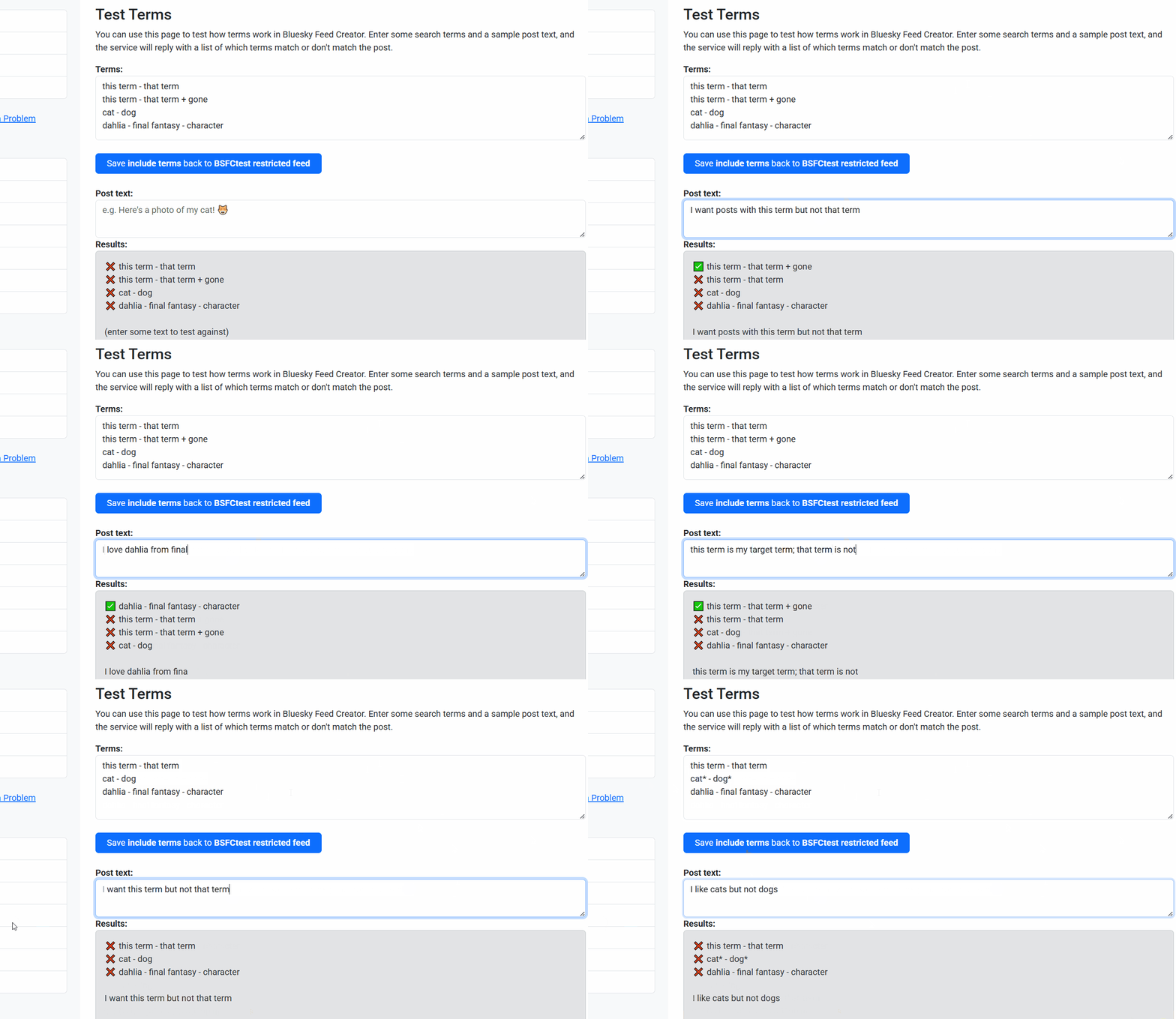 You can find out more about search operators, including the ones below, in our video: Using search operators in Bluesky Feed Creator
Use @handle search modifiers with search operators
from:@handle, post_from:@handle and reply_to:@handle will all work alongside the search operators + and -. For example: * post_from:@handle.domain + comics would pull all posts from that user mentioning comics. * reply_to:@handle.domain - birds would pull all replies to that user, except if they mentioned birds.
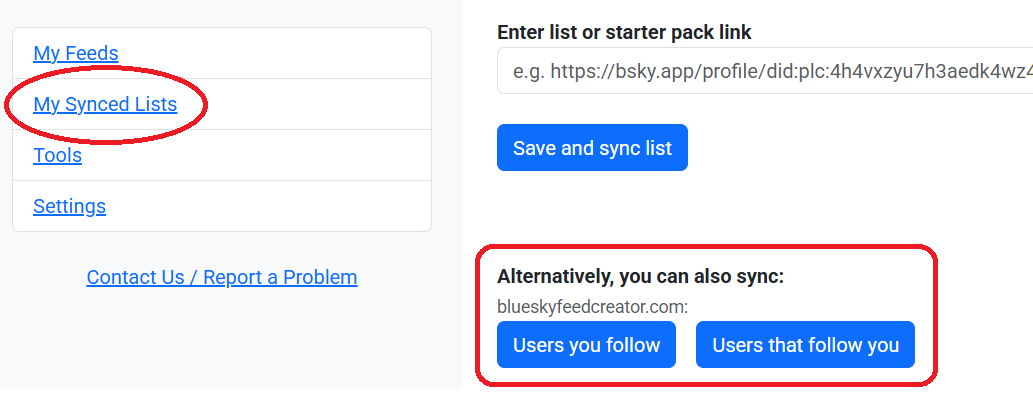
Turn everyone you follow (or everyone who follows you, or mutuals) into a synced list
In the sidebar, under My Synced Lists, you can click on Import List and then get these options. Currently, you can use this area to make a synced list out of Users you follow, and Users who follow you and Mutuals (Users you follow who also follow you)
Why make a synced list from your followers or the people you follow? Because then, they can be used as a one and done feed input - which you can apply custom poster permissions to as well, if you want.
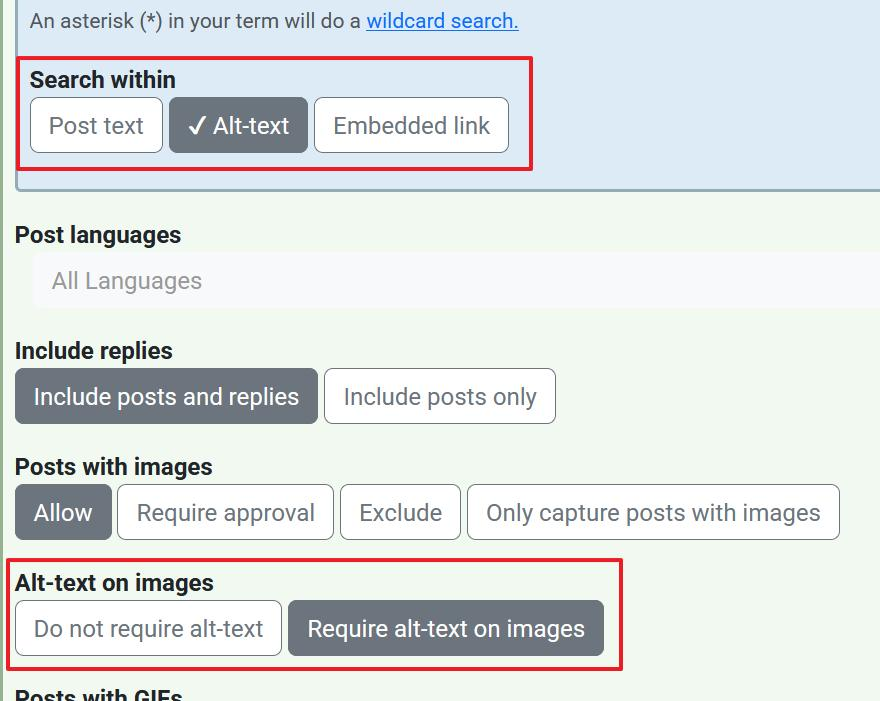
New alt text moderation options
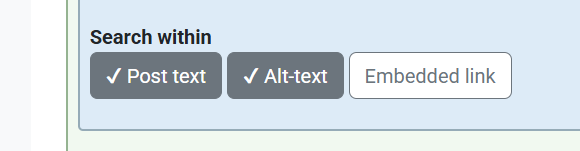
It's now possible to decide which bits of posts you want BSFC to search for terms. You can choose between any combination of post text, alt text and embedded links. The default is to search all three, and that's what BSFC has done for all previous feeds.
You can also decide whether or not you want your feed to require alt text for a post to go into it.
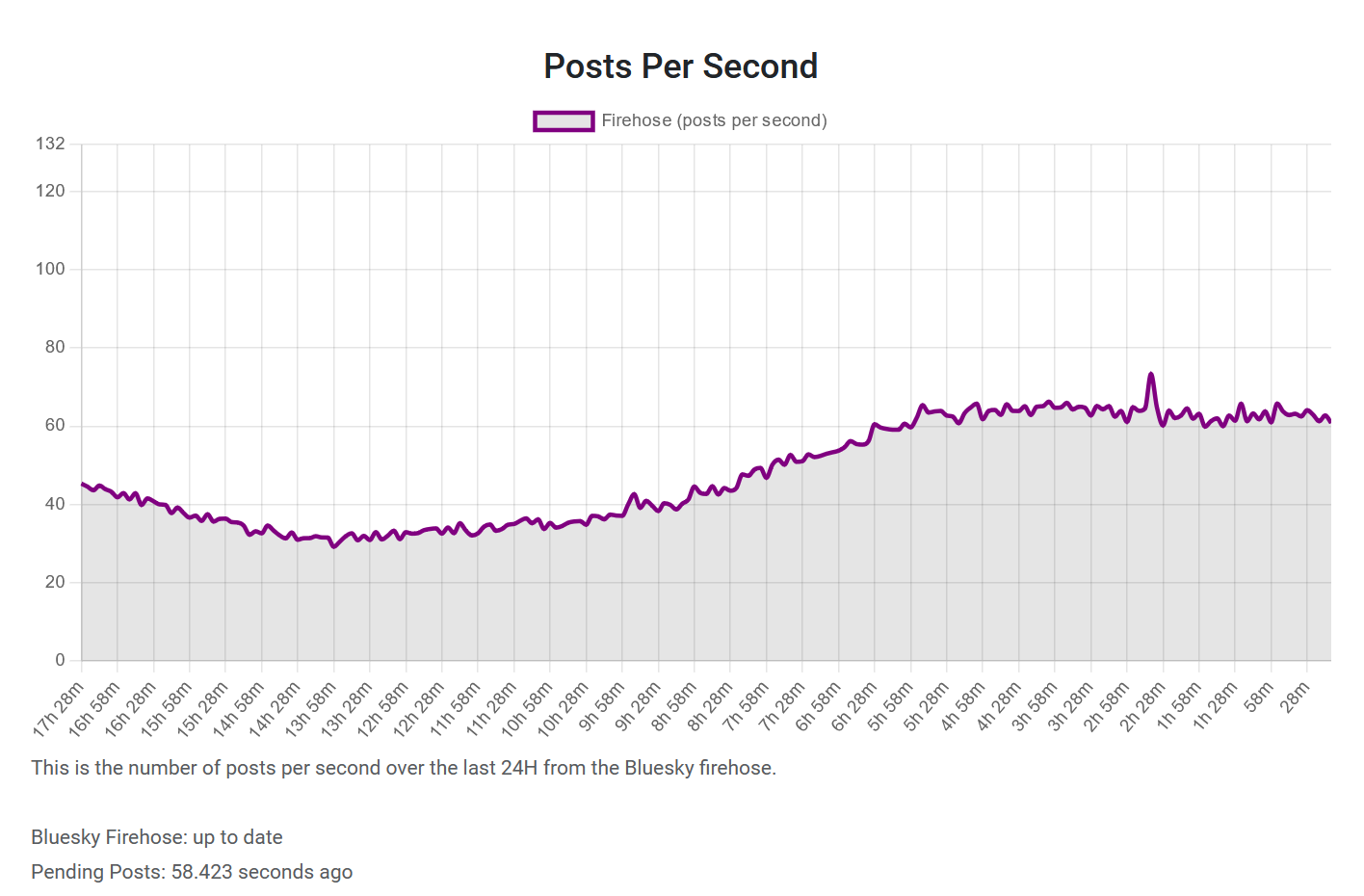
New stats - see how many posts have been coming through the firehose
This is helpful because if you notice that your feed hasn't updated for a while, you can check here first to see if the firehose hasn't been giving us posts. This does happen, and when it does, BSFC does receive the missed posts and then work through them. That means all posts from the Bluesky firehose downtime will show up in your feed - they just might be later than expected.
Buttons to help you get to where you want to go
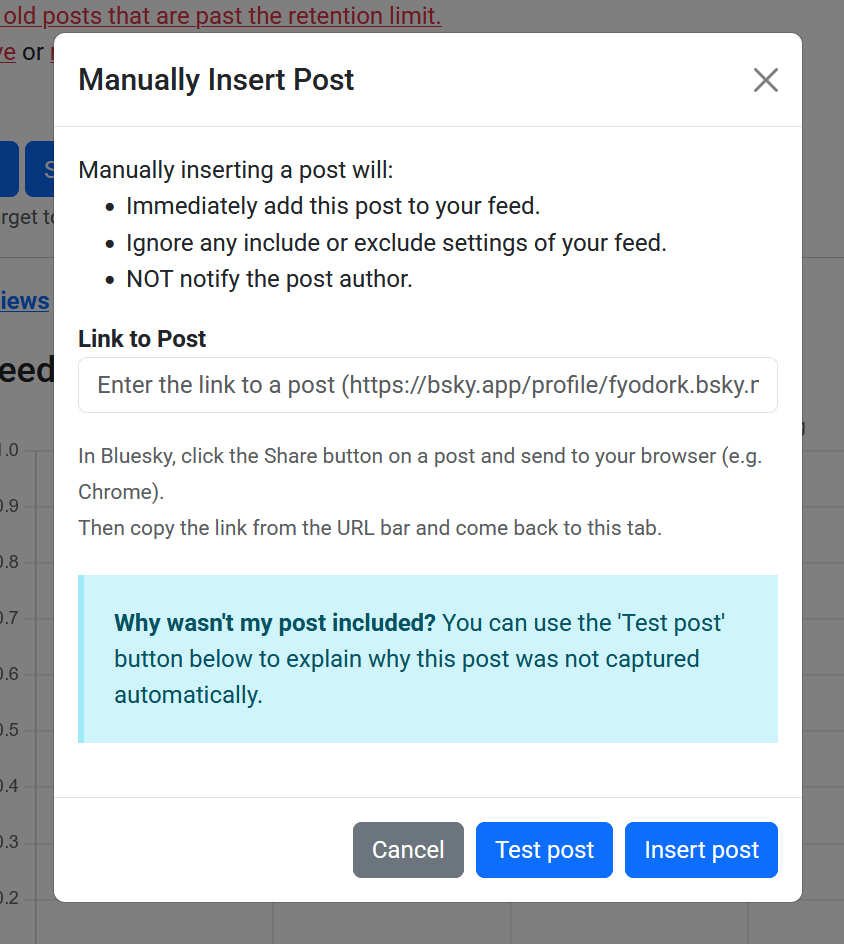
We've added various buttons around BSFC that you might see when you're administrating your feed. They're aimed at streamlining your process e.g. after manually inserting a post, you can query it to see why it wasn't included - great for posts where you can't figure out why it hasn't come in.
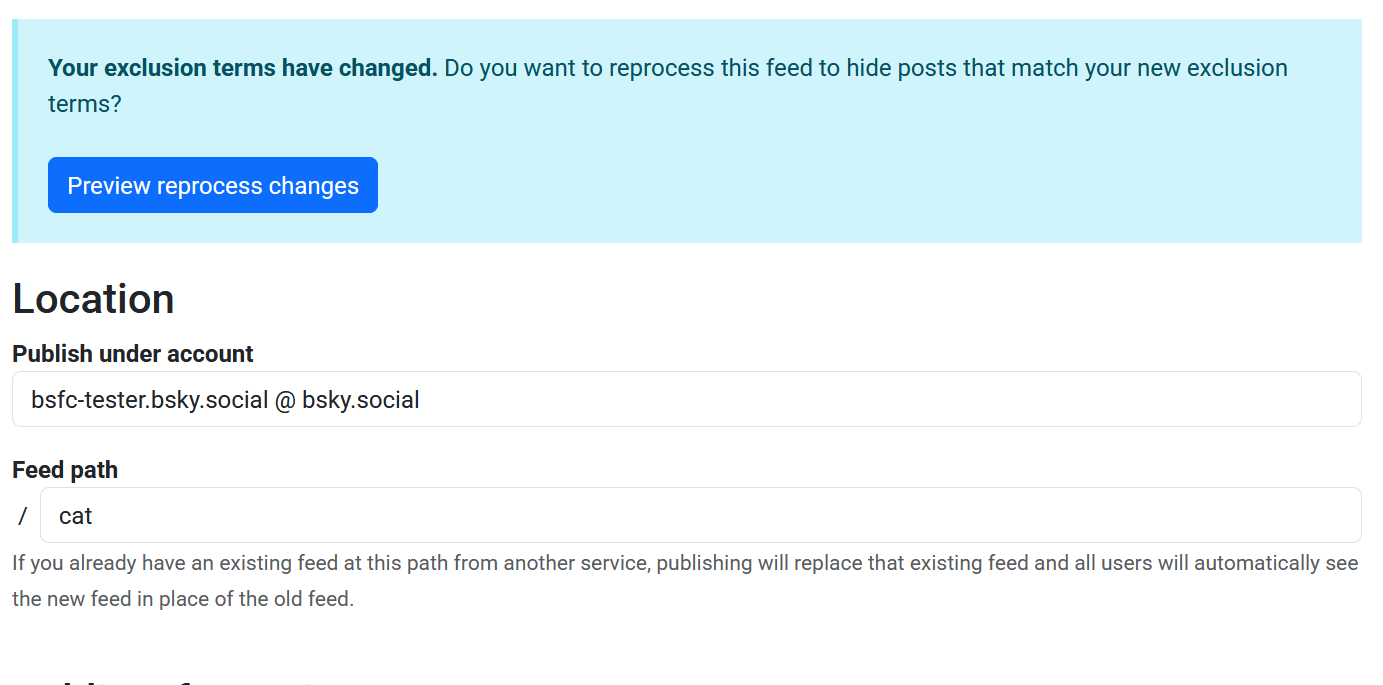
 If you've added excludes to your feed, you'll be asked whether you want to reprocess - that is, run what's currently in the feed against the new excludes, to see if any posts need removing to match the updated rules.
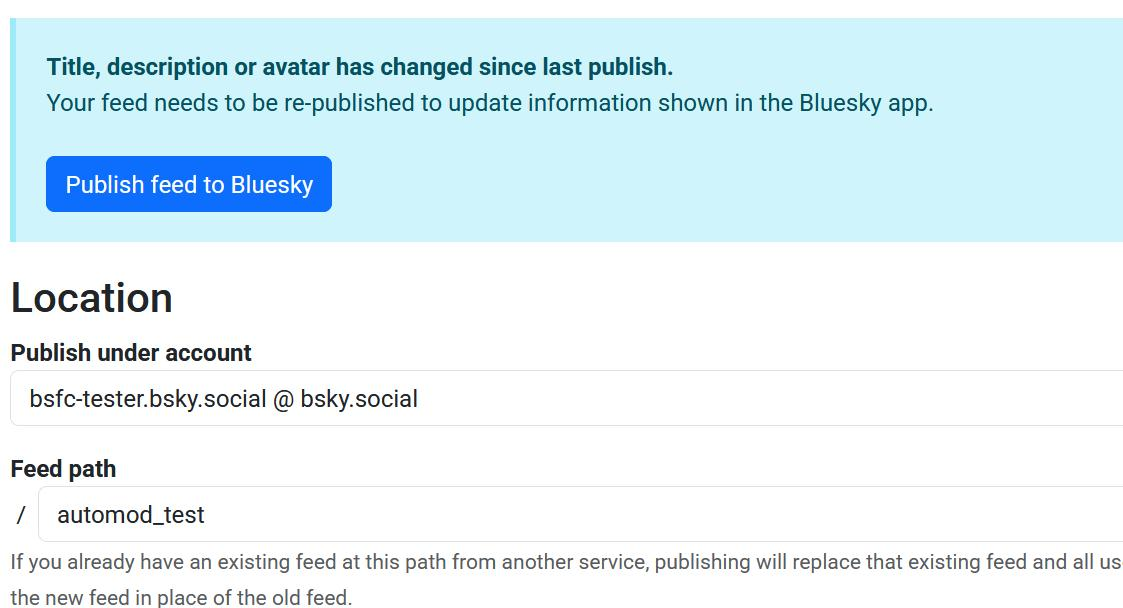
Changed the title, avatar or description? You'll get a blue box up the top of your dashboard that prompts you to republish your feed - and this will hang around until you do republish.
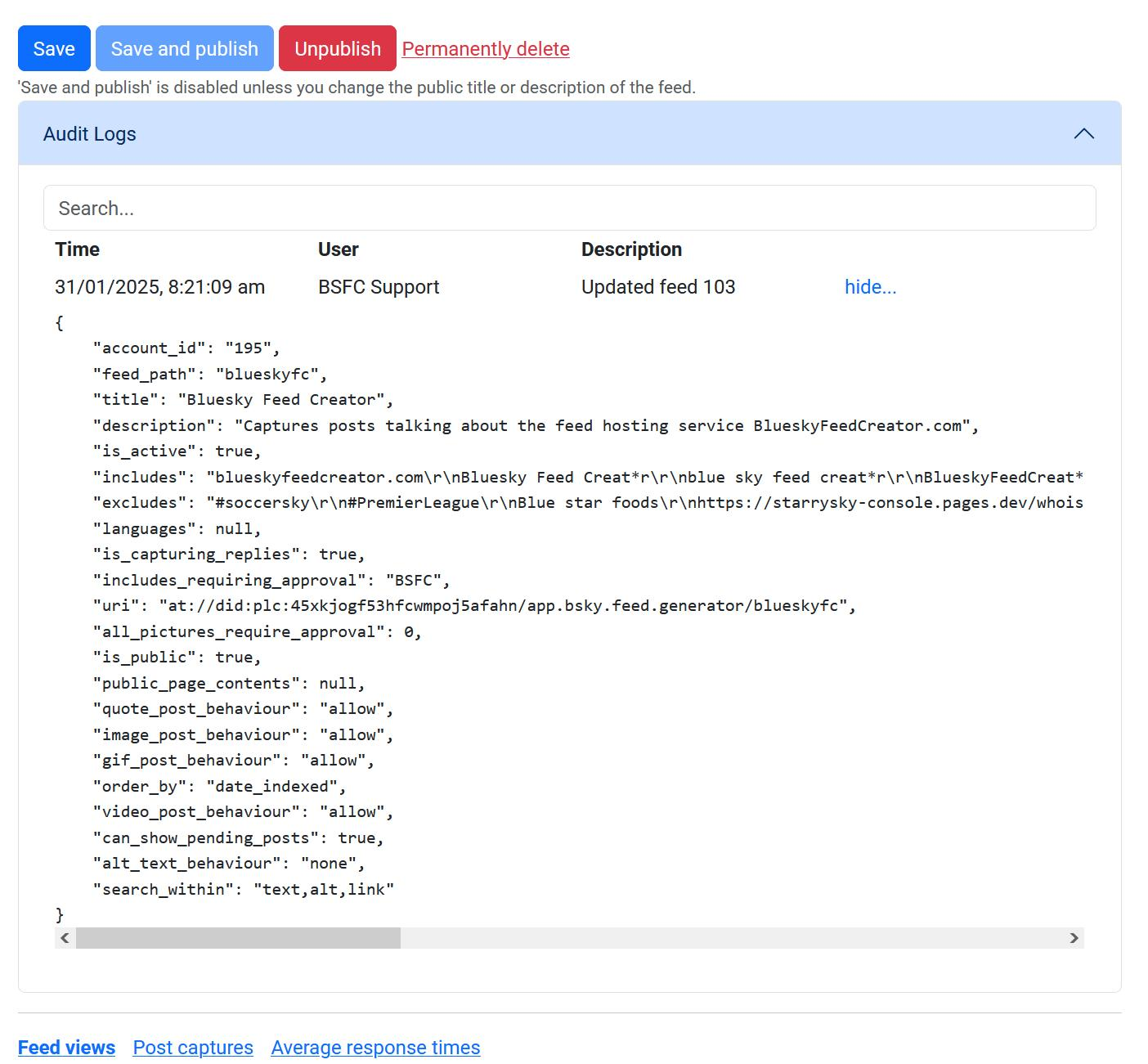
Audit logging throughout the service
This will show you any changes you've made recently, time stamped, so that you can see a chronological timeline of your feed settings. This goes back 7 days for everyone, at this stage.
Drag and drop to rearrange users and lists!
We added the capability to shift around users and lists on your Allowed Users and Lists page, using drag and drop. You can click anywhere on the box to drag them.
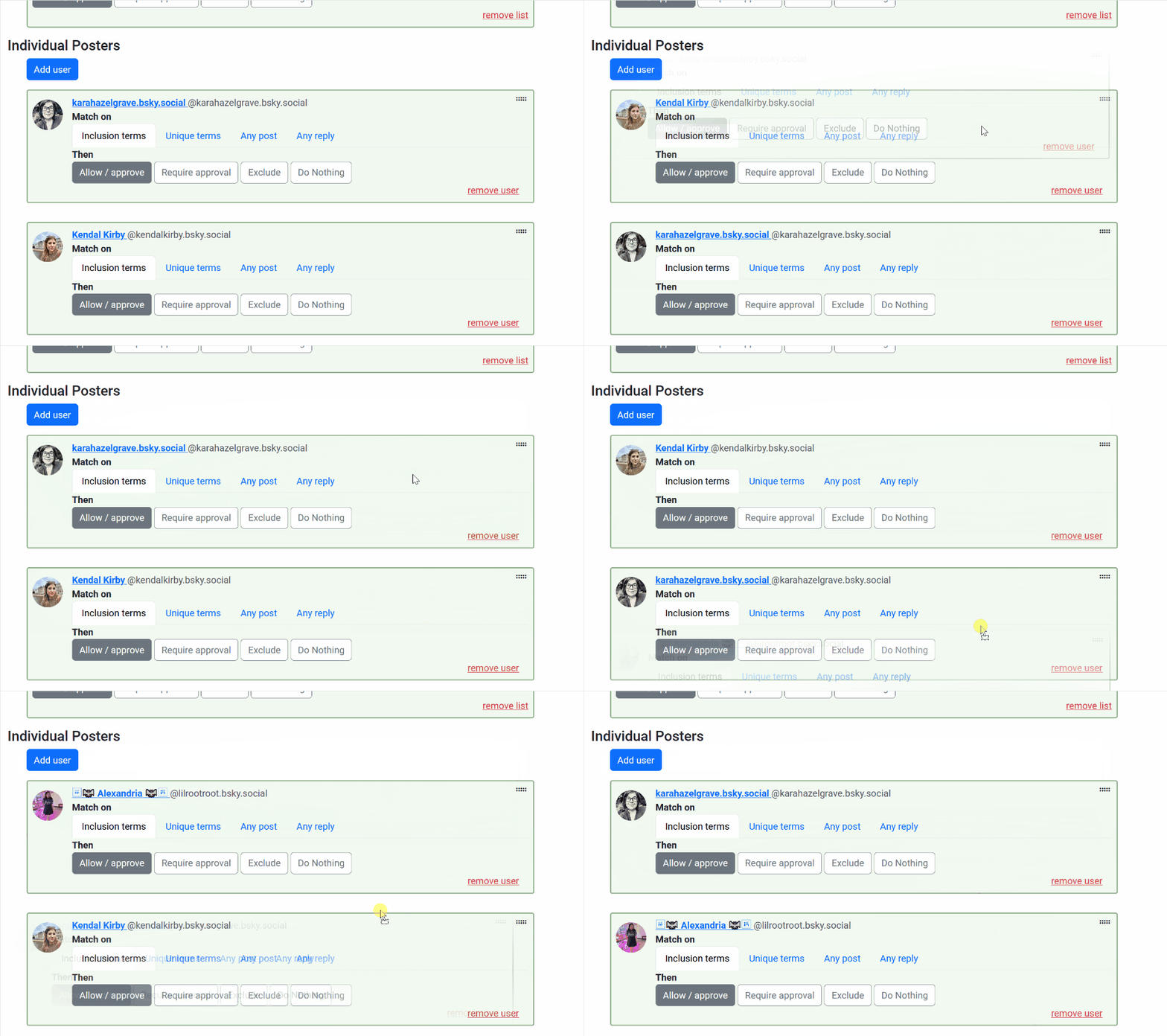
More new features and tweaks
- We added the News section - you must know about this one already, because you're reading it!
- Posts that quote a post of, or reply to, a blocked author, will be excluded from your feed as if it was blocked.
- You can now update your payment method from the subscription page.
- When reprocessing a feed, you will now see a scrollable dialog with the posts for removal.
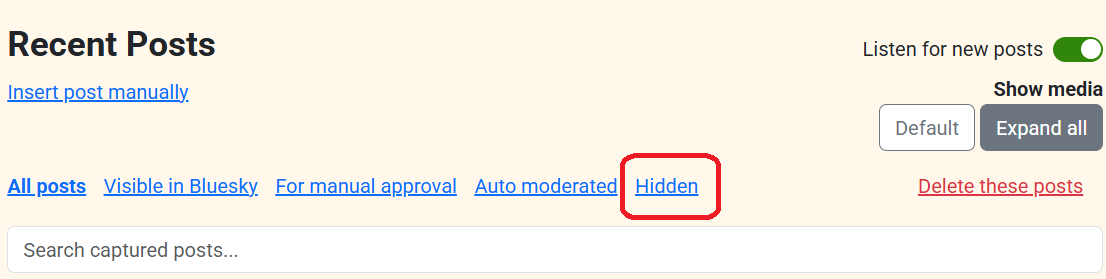
- We've added a hidden posts column which collects all the posts you've hidden (or Auto Mod has hidden) while moderating.
- We've added a play icon over videos in the moderation interface. They can't play (yet) but it's now clear they are videos.
- 'Block in feed' now carries on in the background so you can continue with your moderation straight away.
- You can now escape a wildcard i.e. search for a term with an asterisk in. You can put a backslash (\) in front of the asterisk in your search terms and BSFC will search for the term including the asterisk. The asterisk won't work as a regular wildcard when you do this.
- Using the auto mod rule to block posts which were from users blocking the feed admin, posts matching this can now be finalised as 'hidden' in the BSFC moderation interface.
- Allowing a user who was also in a list would override all list permissions. Now, list permissions are inherited by the user's individual permissions and updated if the feed admin changes them (to override the list permissions). e.g. if you update unique terms for the user those override the list unique terms. If you leave everything else untouched, those permissions will come from the list ones.
- The avatar for a feed is now cached in your browser, which means the feed dash will load faster.
- We added checkboxes on the buttons you use to set which parts of a post the service looks at (post text, alt-text, embedded link). We hope this makes on/off clearer!
- We switched up how unique terms look to make their functionality clearer.
- We also made the unique terms auto-inherit the main feed terms, so that you can amend from there. This makes it easier to apply fine tweaks to what permissions users have.
- For blocking a list, we've moved that into the Blocked Users area to make things clearer. For partial permissions, you'll still want to be working in the Allowed Users and Lists area where you can apply those settings as you have been doing.
- You can now expand all images when manually approving posts in your For manual approval queue.
New Auto Moderator functionality
- You can find a shiny new Auto Moderator rules library in our Help area. You can copy and paste any rules from here to use in your own Auto Moderator code.
- New rule: hide replies if their parent is already in your feed. This is useful if you're having issues with threading meaning some posts show up twice, as posts in their own right and also replies.
- New rule: Test for long alt-text. This allows you to look for posts with lots of alt text (and more likely to trigger inclusion in a variety of feeds because of this) and filter them out if they exceed a given number of characters.
- We did a series highlighting some handy Auto Mod rules, which we also collected into a feed here - it will continue to update whenever we post tips for using Auto Mod.
- We added searching to the audit log for Auto Mod, so you can look for posts and actions. This loads on click now, which makes it way faster.
More help
- New video tutorial: How to get started with Bluesky Feed Creator
- New video tutorial: Using search operators in Bluesky Feed Creator
- New written tutorial: Getting Started (the same as the video above, but written out).
- New written tutorial: How to set up a feed with people you follow, or who follow you, or mutuals
- New written tutorial: How to create a video feed based on your interests
- New written tutorial: Adding individual users and lists to your personalised video feed
- We added new feeds to the blueskyfeedcreator.com profile which collect some of the info you might be interested in when learning to use the service. You're welcome to follow along, or check in there if you're wondering about something. * BSFC How To - collects posts where we're explaining how to do stuff, in response to somebody or as part of a series. Also collects new tutorial content. * BSFC Bug Fixes - collects posts where we're saying we've fixed a bug, or more than one bug. * BSFC Auto Mod tips - collects posts with useful info about Auto Mod, and rules and so on. * BSFC Feature Spotlights - collects posts where we're highlighting new features we've added.
Bug fixes in January
This is not a complete list!
- Reply to be added to a feed pinned post functionality was sometimes not working.
- Pinned posts could sometimes stick when unpinned.
- Searching for posts in the moderation interface, then clicking "Show more" wasn't working correctly i.e. wasn't respecting the search term.
- Manually inserted posts would sometimes show up on the moderation interface, but not in the feed itself.
- Doing a post action like manually approving, showing or hiding could cause "Show more" to disappear in the moderation interface.
- Reprocessing a feed was hiding the wrong posts, wasn't considering alt text.
- Saving unique terms to an allowed list would appear not to have saved when you reloaded.
- There was a possibility of terms being matched across post and alt text (i.e. a one word term matching the last few characters in post text and the first few in alt text) which now can't happen.
- Display issue in moderation queue when approving/denying posts.
- Streamlined blocking functionality for administrators.
- Post text which had certain characters wasn't behaving as expected in the BSFC interface.
- It was possible for wildcard terms to match user DIDs and now isn't.
- An uncommon condition was causing some feeds to become deregistered for up to an hour at a time.
- Fixed an incorrect handling of an error when hiding posts.
- Show More would disappear if there was a network response error.
- We now detect, and update our system, when someone changes their user handle.
- Quote posts were displaying incorrectly in BSFC if the post being quoted had been deleted.
- Auto Mod, when requiring approval, was not respecting custom poster permissions first.
- Feed views graph wasn't loading on iPad.
- 'Block user from all feeds' was adding the user to an admin's blocklist rather than the feed owner's.
- Blocking a user in all feeds could time out while trying to delete the posts.
- After a post is successfully added manually, the box to put the post link into will now be cleared.
- When reprocessing a feed, posts which are hidden will no longer have a Requires Approval tag.
- Reprocess feed exclusions could return "Nothing will change" if you pressed the button too quickly.
- Fixed a bug causing parts of the service to set back to 'free' privileges immediately on unsubscribe instead of at the end of the subscription period.
- An internal server error during list sync could stop a list from retrying its sync until the members changed again.
