New in December 2024
Welcome to Bluesky Feed Creator News!
We have been announcing our new features and bug fixes on Bluesky, and also sending out occasional newsletters. It seemed like a good idea to also make the news about BSFC available here on site, so that users can know about the ways we're improving the service even if they don't follow us on Bluesky or subscribe to our email newsletters. Keep an eye out for the red dot next to News at the top of your page, which pops up when we've added something new.
New features!
Custom poster permissions and unique terms
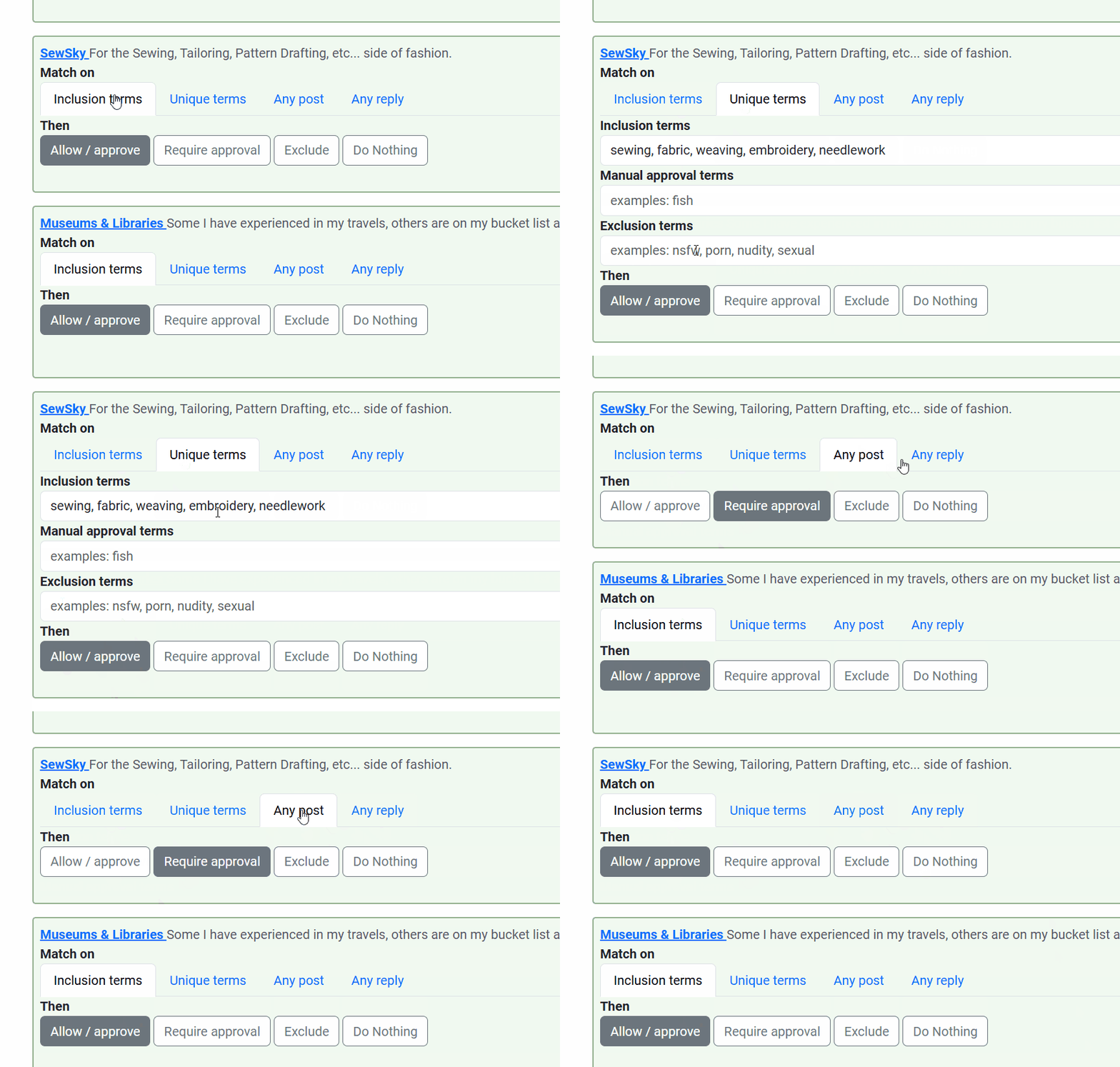
This is the most exciting bit, in our opinion - you can now add various lists and individuals into your feed as allowed users, but set different permissions for all of them. We took it a step further by implementing unique terms for the lists and users - so if you pull from multiple lists, you can dial in what you want to see from each list or each user by setting custom includes, excludes and manual approval terms for them alone.
'And' searching
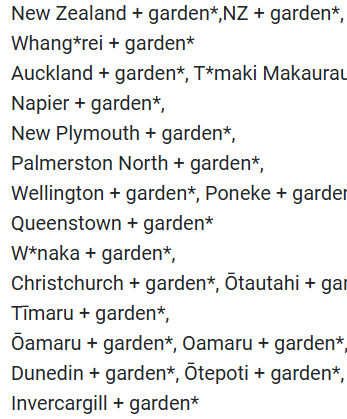
BSFC has had this functionality through wildcards, technically, but we've made it much easier to search for posts which contain this term AND this term. You can now use a plus (+) between two words, phrases, emoji strings, hashtags etc. and the service will look for posts containing both. You can even include multiple terms within one and search. In the screenshot below, you can see some inclusion terms for the Aotearoa Gardens feed. If we take the search term Whang*rei + garden, previously I would have needed to use two terms to make sure posts were included regardless of which came first in a post: Whang*rei * garden*, garden* * Whang*rei*. The plus operator handles that for us so that now one search is sufficient. Searching for a term that includes a plus? No problem - in your search term, put a backslash (\) in front of the plus. So Disney+ would look like Disney\+ in your search terms.
Test your terms tool
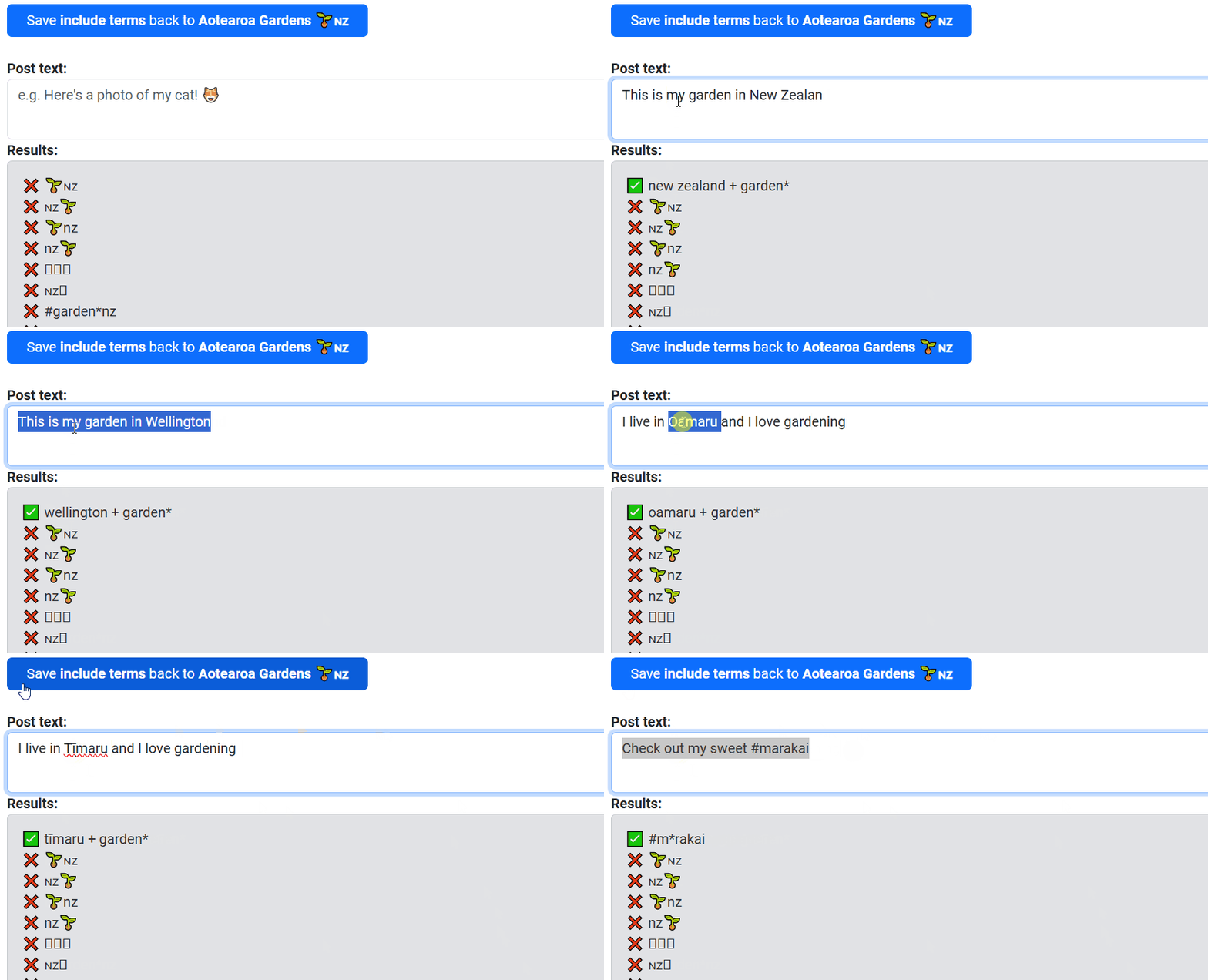
- This is a neat one - you no longer need to make actual Bluesky posts to see if your terms work. Find the Test your terms button inside Bluesky Feed Creator - it's above each of the term boxes in Capturing posts.
 Once you click it, it will take the terms in that box and open a new page where you can compose a test post to see if it matches. Once there, you can even amend your terms and save them back into the feed dashboard. Terms which match will pop up to the top of the list, so you can't miss them.
Change pending posts behaviour - for a live feed
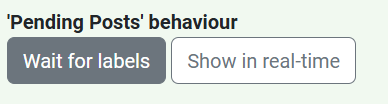
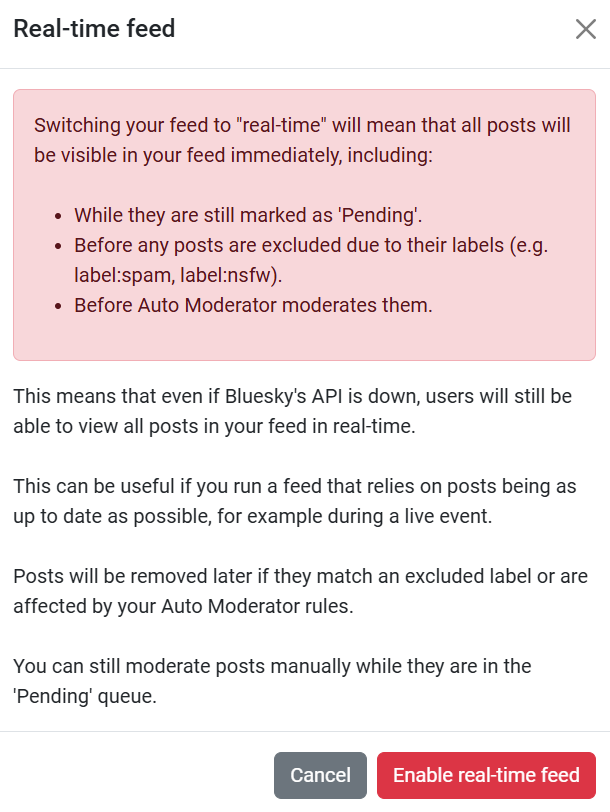
This one goes out to our sports fans! Bluesky Feed Creator marks posts pending temporarily when they come to us from the firehose. This is so that labels can be applied and Auto Mod rules can be run, but it means posts can sit for 30s-a minute before being visible on Bluesky. Especially for our sports based feeds, we added a new toggle which allows your feed to show posts on the live feed even if they're pending - meaning posts can show up in feeds right as they're posted.
Even without this toggle, our feeds generally show posts within a minute of posting, but this can make it even faster which is ideal for live event feeds.
We recommend implementing this one with care, as it can cause labeled posts to sneak in temporarily even if those labels are excluded - however they will be automatically removed once the pending state clears. The same goes for Auto Mod: if a post would have been subject to an AM rule, that rule will still be run on the post. It will be visible in the feed as normal until that happens.
Sort by likes, replies, or reposts and quotes
You can now sort your feed by how many likes, replies or reposts and quotes the posts in it have. Currently, this is a basic sort which looks at all visible posts and sorts them, and so we've marked it as a beta feature.
For feeds which retain a lot of posts, posts which have been in the feed for longer naturally have more likes and so can stick to the top. We recommend using this with feeds which retain a day or less of posts at a time.
We have plans to make this more customisable to your needs once we can put a bit more time into it!

New 6 monthly and annual subscriptions
We know people love a deal, so we've added 6mo and annual subscription options which give you a month free if subscribing for 12 months at once - though currently, they're on sale so you get 2 months free! Sale ends 8.00AM 6/1/25 GMT. You can manage your subscription (and grab one of these deals if it appeals) here.
More new features
- post_from:@handle search term functionality (looks for only posts from the user, excluding replies)
- reply_to:@handle search term functionality (looks for replies to the user)
- List of users blocked per feed is now visible in the feed itself
- Block a user without their post, using "Manage blocked users for this feed"
- When blocking a user in a feed, BSFC lists which posts will be removed (including older ones)
- There is now an option to block this post and future posts, or to include posts already in the feed
- Option to Delete these Posts in the moderation interface which can apply to a whole column, or just posts you've brought up using the search box.
New Auto Moderator functionality
- Test if a quoted post matches the exclusion terms of your feed
- Test if a post includes a list and take action based on that
- Detect post language, even if the user has not set the language correctly, and filter as appropriate (this one is still subject to feed viewer's own language setting for Bluesky)
New video tutorials
- How to create a feed using Bluesky Feed Creator
- Testing terms and wildcards with Bluesky Feed Creator
- How to moderate a feed in Bluesky Feed Creator
Watch out for more video tutorials coming soon, and let us know if there's anything in particular you'd like us to make tutorials about.
Bug fixes in December
This is not a complete list!
- Quote posts weren't showing in the feed dash - only the quote about them.
- Japanese character terms were not respecting hashtag boundaries i.e. the end of the hashtag, so over capturing.
- Listen for new posts button is spaced better.
- On mobile, post text wasn't always wrapping consistently.
- You can escape the plus operator using a backslash e.g searching for Disney+ would look like Disney+ in BSFC.
- Inputting profile links now clears any hidden characters inadvertently included when copy/pasting
- When clicking 'Show More' in the moderation interface it was causing the media in posts above the button to not open.
- Fixed a timing issue with feed dash loading posts
- Auto Mod was sometimes stopping rules executing if it hit an error on a previous rule.
- Content Warning image spaces were sometimes loading without the image.
- Search modifier "From:@" now shows an error if it fails, so you can retry/fix it.
- Querying users was grabbing their reposts too, if they matched inclusion rules, and putting them into feeds.
- Approving posts in sort-by-date-added feeds will now put them at the top of the feed rather than chronologically by firehose entry date/time.
- 'Show more' wasn't loading more posts sometimes, and was sometimes showing duplicates. It now works, and doesn't show duplicates.
- Quote posts were loading without the quoted post and/or without images. This has been fixed, so you'll see text and images in both quote and quoted post.
- Some languages were deselecting in the BSFC interface.
- Posts categorised by language-culture (instead of just language) weren't being filtered correctly e.g. EN-NZ was being excluded by feeds looking to match EN.
- Copy pasting a user handle was sometimes returning an invalid user error.
