
Happy Birthday PowerShell
Today marks the 20th birthday, or anniversary depending on your point of view for Windows PowerShell. If you are reading this, I am assuming it is because PowerShell is an important part of your work. It certainly has been a vital part of my career from the very beginning. I thought I'd share some thoughts and memories on the early days of PowerShell and marvel at how far we have come.
When PowerShell was first released, I was still very active in the VBScript community. The year before my first major book was published by Microsoft Press.
I was writing for MCPMag and presenting VBScript/WMI content at conferences.
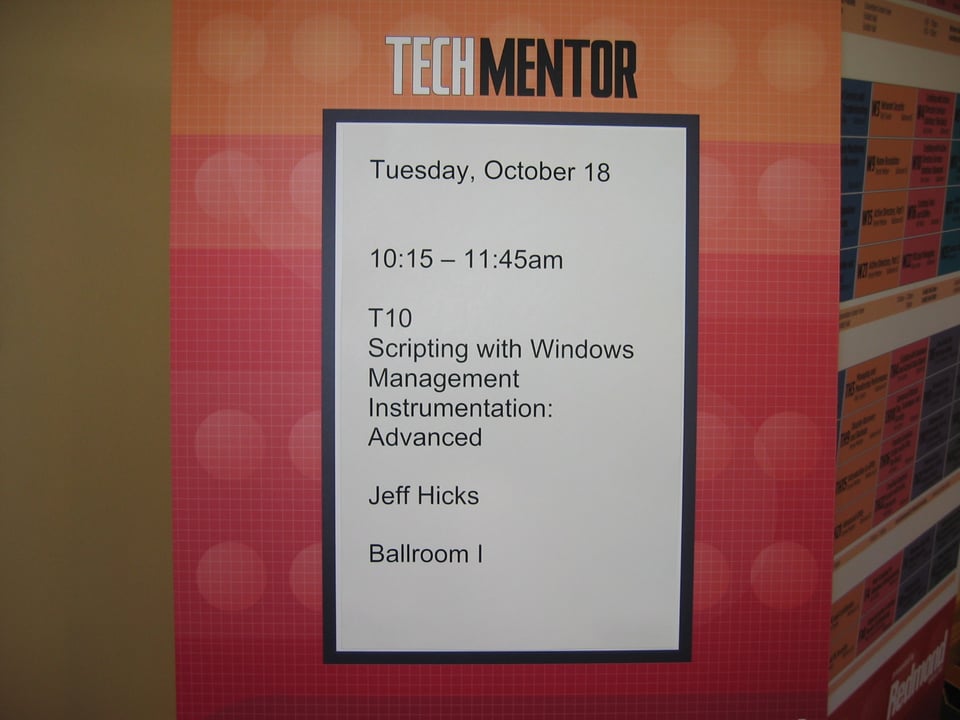
Like many people when they first meet PowerShell, I wasn't completely sure how this thing worked or how I would use it. But let's take a step back.
WMIC
As you probably know Jeffrey Snover arrived at Microsoft to tackle the enterprise management space. Those of you old enough to remember the days of Windows XP might recall wmic.
C:\> Wmic /node:SRV1 OS get /format:list

BootDevice=\Device\HarddiskVolume2
BuildNumber=17763
BuildType=Multiprocessor Free
Caption=Microsoft Windows Server 2019 Standard Evaluation
CodeSet=1252
CountryCode=1
CreationClassName=Win32_OperatingSystem
CSCreationClassName=Win32_ComputerSystem
CSDVersion=
CSName=SRV1
CurrentTimeZone=-240
DataExecutionPrevention_32BitApplications=TRUE
...
This was Jeffrey Snover's first major project. With hindsight, you can see the beginnings of PowerShell.
Monad
But it wasn't PowerShell right away. In 2002 Jeffrey Snover laid out the blueprint for the future of automation and enterprise management based on the .NET Platform. At the turn of the century (I feel old), Microsoft was heavily pushing .NET into everything so this isn't too surprising. And as we know, working with objects instead of parsing text, was a game changer. At the time, the still-to-be-developed product was called Monad.
The document that described the roadmap to Monad, and eventually PowerShell, is known as the Monad Manifesto. You can read an updated version of the original manifesto at https://www.jsnover.com/Docs/MonadManifesto.pdf. The document laid out a plan and each major release of Windows PowerShell addressed another objective.
The original plan was for a Monad shell. In fact, the first file extension was .msh. Unfortunately, I no longer have any of the early .msh files that I wrote. But you can see one at https://mshforfun.blogspot.com/2005/12/#113591584066726748 I am amazed this site is still online. It offers a lot of early Monad and PowerShell content.
In the early days, VBScript was still a popular automation tool for IT Pros. I found an HTA written by Microsoft that let you generate .msh compatible code to get system information using WMI.
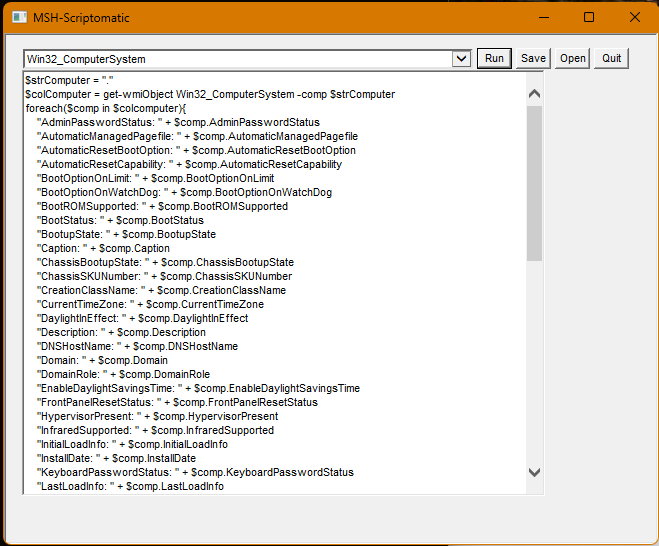
If you were a VBScript user back in the day, the output format should look familiar. Even though Monad/PowerShell was going to follow a new model, it was viewed through the lens of the familiar. That is happening to this day. People look at PowerShell from the perspective of what they know and come to conclusions about how it behaves or its value, without fully learning the PowerShell paradigm.
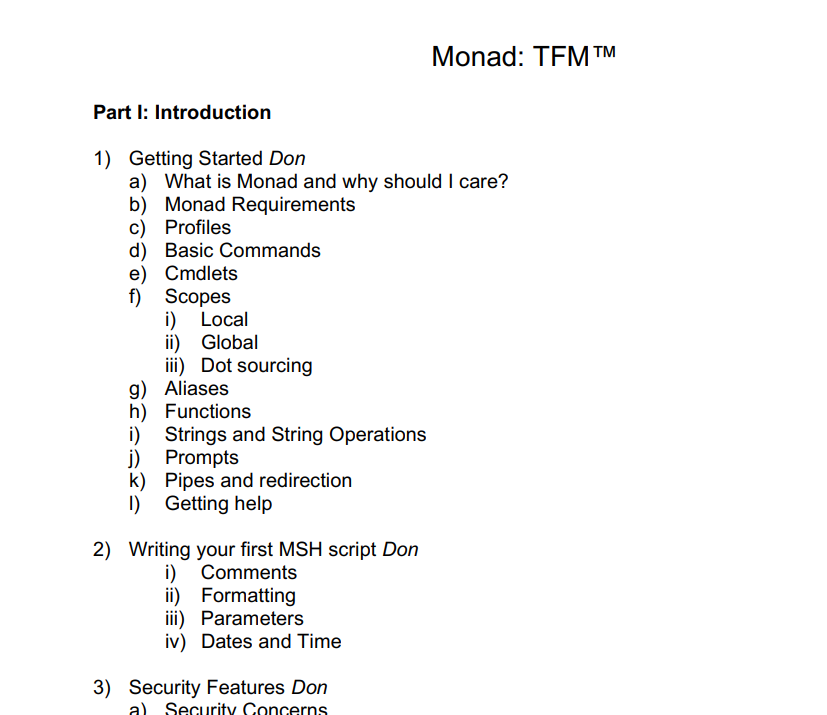
In the MSH Scriptomatic, yes the code is PowerShell but it is structured as VBScript. Obviously there was a need to learning material. Don Jones and I were working on what would be the first book on the subject and we even used the Monad name.
Windows PowerShell
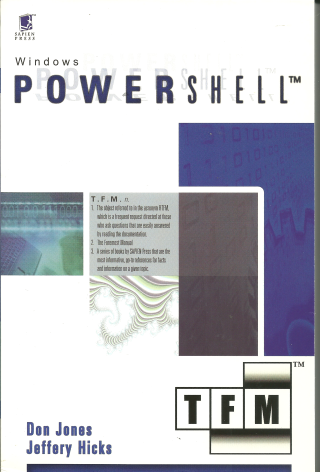
As Microsoft continued work, at some point Monad became PowerShell. Don and I raced to finish the book for SAPIEN Press so that it could be released when PowerShell v1 was released.
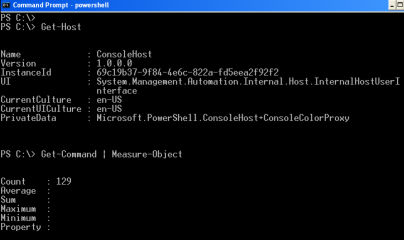
Obviously, PowerShell v1.0 was intended to make statement and act at least as a proof-of-concept. Command coverage was very limited. In fact, there were only 129 commands.
Cmdlets were packaged as PSSnapins. Modules as we know them today didn't exist yet. There was no PowerShell remoting, although some cmdlets supported legacy remoting connections over RPC/DCOM to service endpoints. If I recall, the PowerShell team was pushing to include remoting but it wasn't ready. This led to one of the earliest Snoverisms, "To ship is to choose."
Despite everything, PowerShell v1 was immediately embraced and almost overnight an ecosystem and community was born, that continues to today.
People and companies rushed to fill the gaps without complaint. One popular tool at the time was PowerGUI. Adam Driscoll was one of the developers behind this.
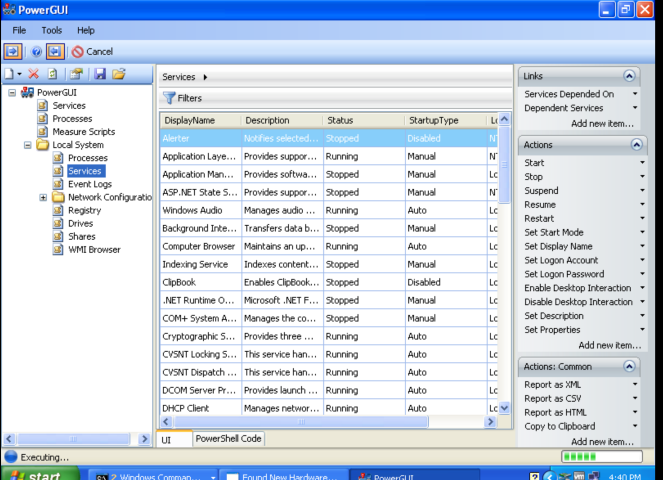
PowerGUI provided a graphical interface to command PowerShell management commands and offered a basic script editor. There was no PowerShell ISE in v1.
IT Pros embraced PowerShell and rabidly consumed any content. I remember presenting a TechEd session (pre-Ignite) on migrating from WMI VBScripts to using PowerShell and Get-WMIObject. What took 50 lines of VBScript code could be streamlined dramatically. I had a large audience for that talk.
V2 Changes Everything
Eventually Microsoft released Windows PowerShell 2.0 which solidified its place as the preferred enterprise management solutions for Windows-based networks. Version 2 brought remoting which was a game changer. Now, we could build enterprise-wide management tools and automate them.
Version 2 also introduced the concept of a PowerShell module, intended to replace the PSSnapin module. Although I'd say it took some time before modules took off in the community. This is the version where scripting really took off as well, primarily due to the inclusion of the PowerShell ISE.
To be honest, as PowerShell evolved over the years, all of the feature blur together for me. Fortunately this is 2026 and we now have AI tools so I asked CoPilot in VSCode to make me a table of major features.
| PowerShell Version | Major features introduced |
|---|---|
| 1.0 | The object-based pipeline, cmdlets and providers, and the PowerShell scripting language established the foundation for managing Windows from a command shell. |
| 2.0 | Modules, remoting, background jobs, advanced functions, script debugging, eventing, and the PowerShell ISE. |
| 3.0 | Workflows, CIM cmdlets, scheduled jobs, module auto-loading, updatable help, simplified syntax, and Windows PowerShell Web Access. |
| 4.0 | Desired State Configuration (DSC), plus language and workflow improvements such as the Where() and ForEach() methods. |
| 5.0 | Classes and enums, the information stream, PackageManagement (formerly OneGet), PowerShellGet, and the PowerShell Gallery. |
| 5.1 | Edition-aware module metadata (CompatiblePSEditions) and updates to DSC and package-management components. This was primarily a compatibility and update release rather than a new generation of the language. |
And now we're into the next generation of PowerShell with PowerShell 7. I think of PowerShell 6 as a limited transition from Windows PowerShell to the cross-platform world of today.
"PowerShell been berry, berry good to me"
On a personal note, to paraphrase the legendary Chico Escuela, "PowerShell been berry,berry good to me.". PowerShell has literally been my career. Between authoring books and courseware, speaking at conferences and user groups, or conducting classroom learning, I have met countless people and traveled literally around the world.
| Location | Location | Location | Location |
|---|---|---|---|
| Redmond, WA | Bellevue, WA | Seattle, WA | Charlotte, NC |
| Raleigh, NC | Chattanooga, TN | Atlanta, GA | Orlando, FL |
| Dallas, TX | Ft Worth, TX | Austin, TX | Denver, CO |
| Portland, OR | Phoenix, AZ | Las Vegas, NV | Salt Lake City, UT |
| Minneapolis, MN | Omaha, NE | Chicago, IL | Ames, IA |
| New York City, NY | San Francisco, CA | Columbus, OH | Eugene, OR |
| Philadelphia, PA | Miami, FL | Helena, MT | New Hartford, CT |
| Fresno, CA | Napa, CA | Houston, TX | Providence, RI |
| Berkeley, CA | New Orleans, LA | Rochester, NY | Helsinki |
| Oslo | Stockholm | Prague | Singapore |
| Bangalore | Canberra | Montreal | Berlin |
| Gothenburg | Frankfort |
I have been a Microsoft MVP for 20 years and enthusiastic member AND supporter of the PowerShell community. I am proud of my early work with Don Jones to build the community which eventually led to the PowerShell Summit. We kicked off a few European events before handing that off and watching that become PSConfEU.
Here's a photo of an early gathering of PowerShell minds in Frankfort, Germany:

I like to think of this as the proto-PSConfEU event. I'm also happy to say that I am still friends with many of the people in this group. The PowerShell community has become an extended family not only for me, but for many people. That, I think, is PowerShell's greatest gift 20 years on.
Summary
So on this special day, I raise a glass to PowerShell and all the people who have brought Jeffrey Snover's vision to life and into our lives. It wasn't always easy, and even today there is room for improvement, but I can't imagine my life without PowerShell. Or at least it would be nowhere near as rich and fulfilling as it has been these last two decades.


Add a comment: