
Creating A Domain Specific Language
In this issue:
Today I want to dive into an advanced PowerShell topic, that has long interested me. This is not something I expect you to need to do, if ever. But I think you'll find the discussion interesting. I have always found the idea of a domain specific language intriguing. This is more commonly referred to as a DSL.
DSL Defined
A DSL is a set of commands designed for a very specific, or constrained context. This is referred to as the domain. PowerShell is a generalized scripting language. It can be used in a wide range of settings and scenarios. This is baked into the design. That is why the command is called Get-ChildItem and not Get-File The former can be used to enumerate files, registry keys, or certificates.
A DSL is target towards a single use case. It is also intended, at least from my perspective, to simplify or abstract some process. Instead of having to understand the technical details, a DSL offers a simplified approach. In PowerShell, instead of having to know the details of writing HTML. you can use the PSHTML module which provides a set of DSL commands.
Another DSL you've heard of, and hopefully used, is Pester. Pester has its own language to create a testing framework. Even though Pester is using PowerShell under-the-hood, the Pester DSL commands are intended for a very specific use case. That is why they don't follow the standard verb-noun naming convention. Pester commands like It and Should are meant to provide a simplified language to describe something.
I don't think it is a rule, but I tend to think of a DSL as something you use in a script file. The DSLs I've worked with aren't intended to be run interactively from a PowerShell prompt. The DSL commands can be "executed" in a document of some sort to achieve a domain-specific result.
Commands or Aliases?
Because a PowerShell-based DSL doesn't have to follow the Verb-Noun naming convention, it is very easy to think the commands are nothing more than aliases. But that is the wrong approach. I know it took a while to get my head wrapped around this concept. A DSL isn't simplifying the commands you run, it is simplifying a process.
This is why most of work in PowerShell doesn't require a DSL because we are writing general purpose commands packaged in a module. But I had a PowerShell module I was updating and realized I could add a DSL which might make it easier to use.
PSQuizMaster
My PSQuizMaster is not a project I expect many people to use. But it was fun to put together and I try to make my modules good learning opportunities.
The module is designed to create and take quizzes from a PowerShell prompt.
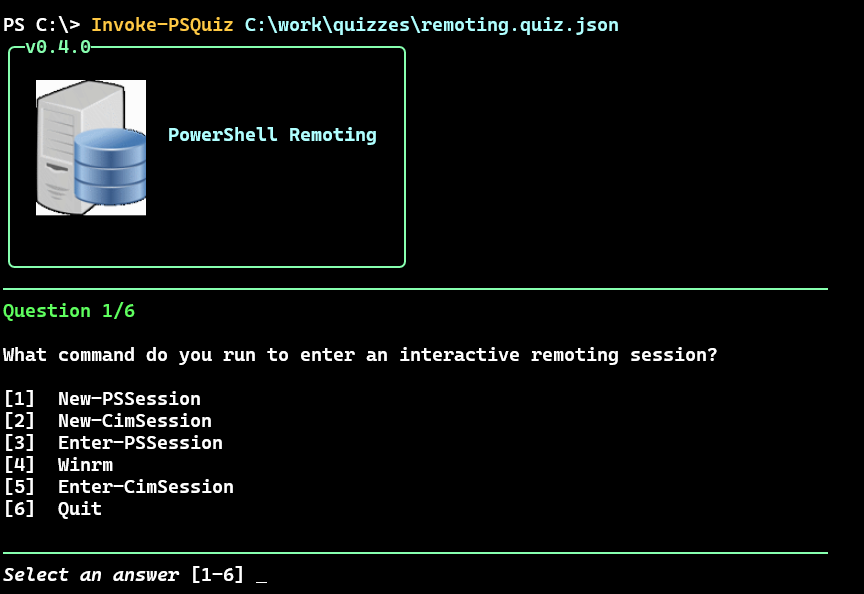
The quiz itself is defined in a JSON file.

The module contains traditional PowerShell commands to create the quiz file and questions. I even wrote a command, New-PSQuiz that acts as a "wizard" to guide you through creating a quiz. However, because creating a quiz is a process I realized I could create a DSL for it.
Creating a Quiz Language
My idea was to allow the user to put the DSL commands in a script file which would generate the quiz JSON file. I didn't want them to think about the module commands, but rather the concept they wanted to invoke. I took a Pester test as my inspiration. The commands in my DSL would still be PowerShell commands but I wanted to abstract all of the PowerShell bits as much as I could.
Remember, the DSL is being used in a script file to describe some process. In my case, I was using code to describe what a particular type of JSON file was going to look like. In other words, code describing code. My script file using the DSL isn't formatted or laid out like a tradition PowerShell script. The DSL is used in the file to document a process.
Quiz File
When reviewing the quiz-making process, I realized the first step is to define the quiz file. The module already has a command, New-PSQuizFile, to create the file, including setting some metadata. However, I didn't want to simply create an alias and have something that looked like a DSL. Remember, I'm creating a DSL to simplify defining a process. I will certainly use this command, but the top-level DSL command is something new. It made the most sense to call it Quiz.
Conceptually, Quiz needed to capture the elements necessary to define the quiz file using New-PSQuizFile. I also wanted it to describe the quiz contents. I don't think it is a requirement, but there is a structure or hierarchy to a quiz and I wanted the DSL to reflect that. Using Pester as a module, my Quiz command is similar to Describe.
The DSL keyword Quiz is ultimately a PowerShell command, which means it can have parameters. Again, look at the syntax for Describe. I needed Quiz to define the quiz name and the data to run the quiz. I recognized that eventually Quiz would invoke New-PSQuizFile, passing parameter values. One parameter I decided to surface up to Quiz was -Protect. This enables a simple masking strategy to obfuscate the answer in the JSON file.
The file using my DSL is a PowerShell script file. But the whole point of a DSL is to simplify or abstract a process. Using the DSL element should be simple, almost plain. I think a good PowerShell based DSL doesn't require the user to know how to write a PowerShell script. Thus, the parameters for Quiz are primarily positional.
param(
    [Parameter(Position = 0, Mandatory,HelpMessage = "The quiz name")]
    [string]$Name,
    [Parameter(Position = 1, Mandatory,HelpMessage = "The data used to create the quiz" )]
    [object[]]$Data,
    [Parameter(HelpMessage = "Mask all answers and distractors")]
    [alias("Mask")]
    [switch]$Protect
)
This should make it easy to define a quiz file with this simple syntax:
Quiz PSProviders -protect @(
 #quiz content goes here
)
> When creating a DSL, you will need to make sure you provide thorough documentation on how to use it..


