
April 2026 PowerShell Potluck
In this issue:
- PowerShell Wednesday
- PowerShell Podcast
- TextMate
- PowerShell Summit 2026
- April PowerShell Scripting Challenge
- Summary
Well here we are again at the end of another month. I hope you learned a few new things or at least feel a little more confident in your work. I know I had a busy month. Let's dive into this month's potluck
PowerShell Wednesday
I made another appearance in the PDQm Discord channel for a PowerShell Wednesday to talk about creating terminal user interfaces (TUIs). I showed off the PSTuiTools module and demonstrated how to use the reference samples to begin building your own TUI-based PowerShell solutions. You can watch the presentation on YouTube
PowerShell Podcast
As is often the case, when I do a PowerShell Wednesday, I am a guest on The PowerShell Podcast. I chatted about my PowerShell career and how PowerShell has evolved over the last twenty years. If you missed the podcast, you can check the show notes to listen, or watch on the show's YouTube channel.
TextMate
As you know, I've been doing a lot lately with the pwshSpectreConsole module. Somewhere along the way I learned about the TextMate module. The module requires PowerShell 7. The TextMate module is a wrapper for a library designed to provide syntax highlighting for a variety of languages. The module is very handy when you want to view the contents of a file in the console.
Get-Content C:\scripts\Get-OSWrapper.ps1 | Format-PowerShell
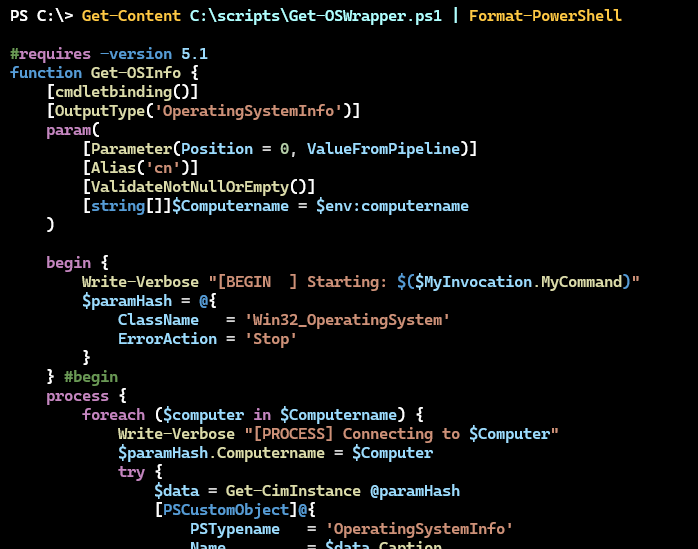
You can choose from a variety of themes. The format commands have a -Theme parameter. You can use PSReadline to view the options.
Abbys             DarkPlus         HighContrastLight  Monokai     SolarizedDark      VisualStudioLight
AtomOneDark       DimmedMonokai    KimbieDark         OneDark     SolarizedLight
AtomOneLight      Dracula          Light              QuietLight  TomorrowNightBlue
Dark              HighContrastDark LightPlus          Red         VisualStudioDark
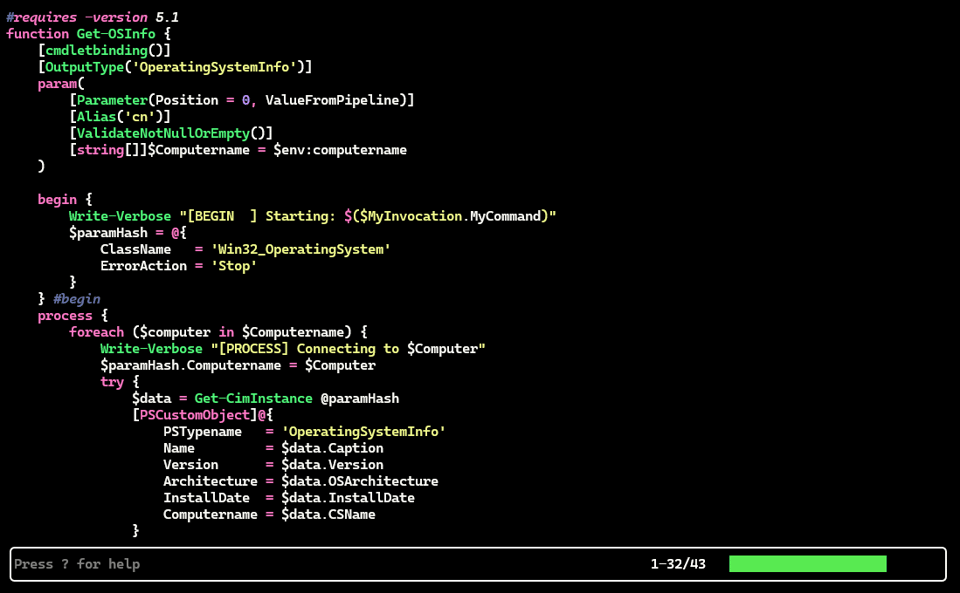
How each theme is rendered will depend on your terminal's color scheme. For longer files, I recommend using the built-in paging feature.
cat C:\scripts\Get-OSWrapper.ps1 | Format-PowerShell -theme Dracula | page
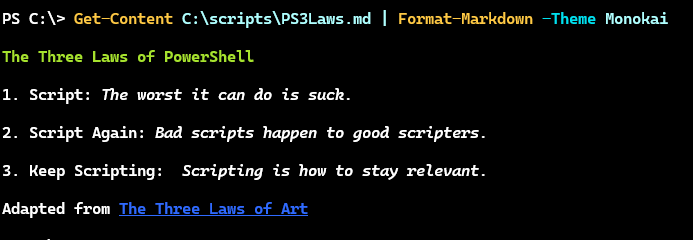
This also works for Markdown. While you can use Show-Markdown, this command has a few bugs. The TextMate module is much nicer.
While the module has specific commands for PowerShell and Markdown, the library can process many languages.
PS C:\> Get-TextMateGrammar

Id                   Extensions                                    Aliases
--                   ----------                                    -------
asciidoc             .adoc                                         Asciidoc, asciidoc, Asciidoctor
bat                  .bat, .cmd                                    Batch, bat
clojure              .clj, .cljs, .cljc, .cljx, .clojure, .edn     Clojure, clojure
coffeescript         .coffee, .cson, .iced                         CoffeeScript, coffeescript, coffee
c                    .c, .i                                        C, c
cpp                  .cpp, .cc, .cxx, .c++, .hpp, .hh, .hxx, .h++… C++, Cpp, cpp
cuda-cpp             .cu, .cuh                                     CUDA C++
csharp               .cs, .csx, .cake                              C#, csharp
css                  .css                                          CSS, css
...
The module will perform syntax highlighting based on the file extension.

You can also use themes and paging.
Get-Content C:\scripts\mygit.html | Format-TextMate -Theme Dracula -Page
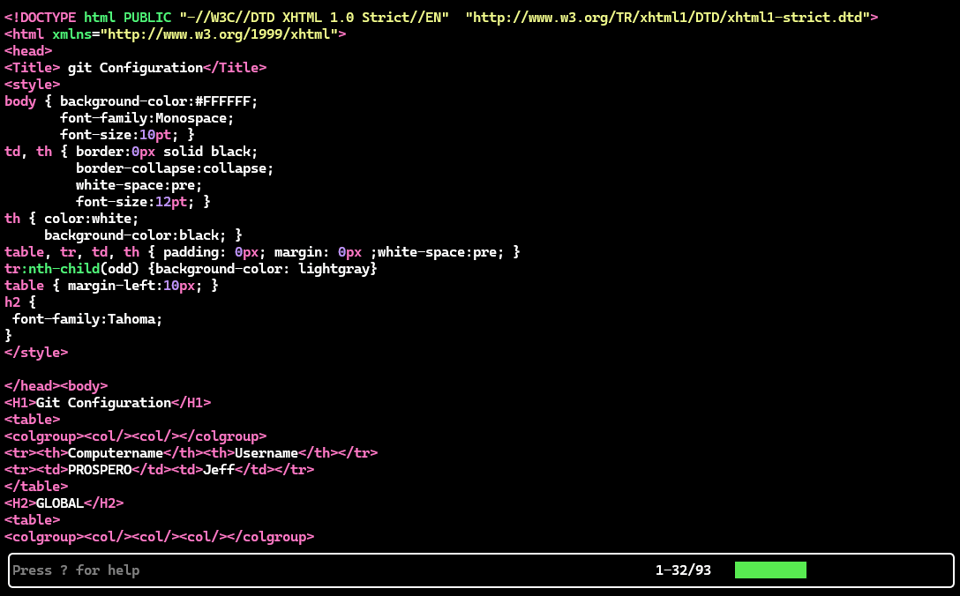
I love how rich the command prompt has become over the years.
PowerShell Summit 2026
The big event this month was the annual PowerShell+DevOps Global Summit. I believe about 225 people gathered in Bellevue for a week of intense PowerShell immersion.

We were fortunate enough to have Jeffrey Snover attend and present. I enjoyed his talk on the story behind PowerShell. Not only is he a great storyteller, but he shared succinct insights into the design and nature of PowerShell.

I especially loved this nugget of information.

I may have to dive into this for future newsletters.
Session material can be downloaded from GitHub. Most sessions were recorded and will be available on YouTube. I'll post links when they go live.
The value of this conference goes beyond the technical detail. The conversations between sessions, at meals, and at the bar are where the real value lies. I hope you'll start making plans to attend next year in Orlando, Florida at the Sheraton Lake Buena Vista April 5-8, 2027. The call for speakers opens 1 July, 2026. You can learn more at https://www.powershellsummit.org/.
Don Jones PowerShell Community LeaderShip Award
One moment that I did not see coming at the PowerShell Summit was receiving The Don Jones PowerShell Community Leadership Award.
"Recognizes exceptional leadership in the PowerShell community—building and supporting the spaces, programs, and resources that help others grow. This can include organizing user groups and events, maintaining community resources, mentoring, and other efforts that strengthen the community over time."

Nominations were made by members of the PowerShell community so I am quite moved by the recognition.
April PowerShell Scripting Challenge
This month's scripting challenge is about presentation. I'm appreciating more and more the options we have to present information in a meaningful way using PowerShell. I would like you to use the Get-NetAdapterStatistics cmdlet to return data for your primary adapter.
The primary challenge is to display statistics using Write-Progress for the primary adapter. You can't display everything, but at least show the total number of bytes sent and received. Anything else you want to display is up to you. You should also show the computer name and the name of the network adapter. Create a command that will display the progress bar for a specified number of seconds. I suggest adding support for a refresh interval of at least one second.
As a secondary challenge, or an alternative, present the information using the pwshSpectreConsole module. Ideally, your solution will also provide a display for a specified amount of time with a refresh interval.
The cmdlet supports remote connections so you might want your code to include that option as well.
Summary
I'll be back next week to start a new month of content.


Add a comment: