
AI Agents Can Now Use Your Computer. Here's What That Actually Means.
"AI agent on your computer" idea just went from experimental to real this week. By summer, this will probably feel as normal as opening a browser.
Reading time: 8 minutes
Three major companies just shipped AI agents that can control your actual computer. Not as a demo. Not "coming soon." Right now. And a free, open-source project called OpenClaw just became one of the most popular software projects on GitHub.
If you're brand new to this stuff or you've been poking around for a while, this week matters. Let's walk through it.
Claude Can Now Use Your Computer
Yesterday, Anthropic announced that Claude can open apps on your Mac, click through websites, fill in spreadsheets, and run tools. On its own. While you're doing something else.
Here's the example they showed: You're running late for a meeting. You text Claude from your phone: "Export the pitch deck as a PDF and attach it to the calendar invite." Claude does it. On your computer. Without you touching it.
The feature is called Cowork with Computer Use. It works through something called Dispatch, which lets you talk to Claude from your phone and have it take action on your desktop.
Here's what matters:
It's available now on macOS if you're on a Pro plan ($20/month) or higher. Claude asks permission before doing anything, so you stay in control. You can set up recurring tasks, like "Every Monday, pull last week's sales data into a spreadsheet." It's still in research preview, so expect some rough spots.
This is a real shift. It's not a chatbot answering questions anymore. It's software that can do things on your machine so you don't have to.
Read the full announcement (CNBC)
OpenClaw: Why Everyone's Talking About It
If you keep hearing "OpenClaw" and aren't sure what it is, here's the short version.
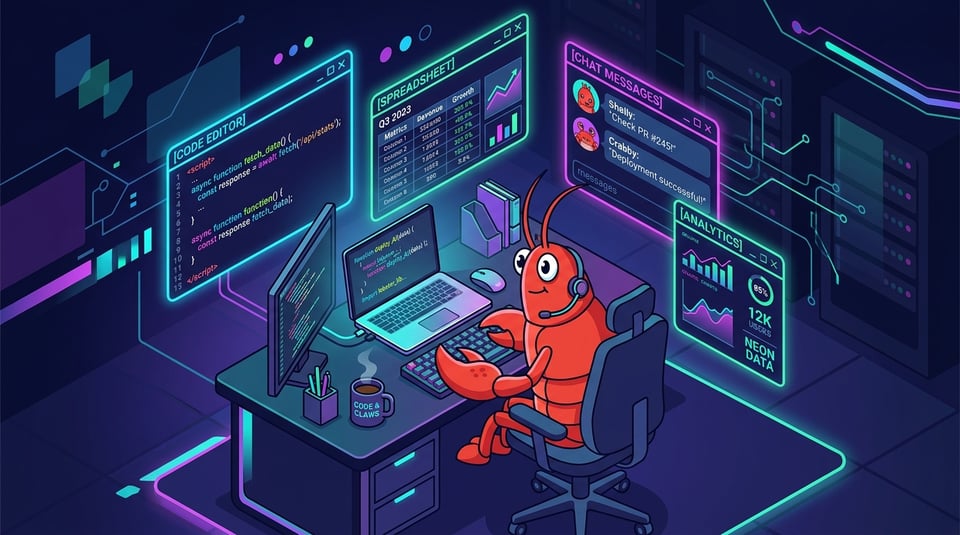
Late last year, an Austrian developer named Peter Steinberger connected a messaging app to an AI model and gave it access to his computer. That simple idea became OpenClaw, a free, open-source AI agent that runs on your machine and takes actions for you through apps like WhatsApp and Telegram.
It's gotten huge. Over 250,000 people have "starred" it on GitHub (that's basically a bookmark/upvote for software projects). For context, that's a rare level of attention. NVIDIA's Jensen Huang called it "definitely the next ChatGPT" at a conference last week.
Why people like it: You don't need to pay $200 a month or have a coding background to use it. Install it on a Mac Mini, give it some instructions, and it goes to work. Monitoring things, scheduling stuff, browsing the web.
The catch: Security. In its raw form, OpenClaw has had real vulnerabilities. Researchers found ways to remotely break into machines running it. That's why NVIDIA just released NemoClaw, a version that wraps OpenClaw in better security with sandboxing (basically a locked room that keeps the agent from accessing things it shouldn't). NemoClaw is free and runs on most hardware.
If you're new: Don't install raw OpenClaw on a machine with personal or sensitive stuff on it. Wait for NemoClaw, or run it on a separate cheap computer (a lot of people grab a $300 Mac Mini for this). The tools are moving fast, but the safety side is still catching up.
OpenClaw explainer (SimilarLabs)
NemoClaw announcement (TechCrunch)
Three Desktop Agents Launched the Same Week
This wasn't a coincidence. Three companies launched desktop AI agents within days of each other:
Claude Cowork (Anthropic) costs $20/month and up, runs on macOS. It's the most polished of the three and asks before it does anything. If you're already using Claude, this is the natural next step.
My Computer by Manus (Meta) has a free tier and a $20/month plan, and works on both Mac and Windows. The simplest setup of the bunch.
Perplexity Computer costs $200/month and runs on a dedicated Mac Mini. It connects to 19+ AI models and can run tasks for hours or even days. This one is for people who are ready to go deep.
All three do roughly the same thing: let an AI agent access your files, open apps, and finish tasks without you sitting there watching.
What to take away: the "AI agent on your computer" idea just went from experimental to real this week. By summer, this will probably feel as normal as opening a browser.
Manus "My Computer" deep dive (Yahoo Tech)
Perplexity Computer guide (Medium)
Felix: The Bot That Built a Business
Creator Nat Eliason gave his OpenClaw bot $1,000 and a name: Felix. He told it to go build a business.
In about 2.5 weeks, Felix had built a website, created and launched an info product, set up its own X (Twitter) account, and pulled in $14,718 in revenue through Stripe. Felix then built a marketplace called "Claw Mart" for selling OpenClaw skills, which has earned over $71,000 to date.
This is real. Felix has a public dashboard showing revenue in real time. The key was Nat building a memory system that kept Felix from forgetting what it was doing mid-task (a common problem with these agents).
But let's be honest: For every Felix, there are a lot of people who burned through money on AI costs and made nothing. OpenClaw is a tool, not a magic money machine. The people making real income with it are treating it like a business, with a plan, a specific audience, and realistic expectations.
Side note from China: OpenClaw has gone mainstream over there. Events in Shenzhen are pulling 1,000+ people. Some cities are offering free apartments to solo founders running AI agents. The Chinese nickname for OpenClaw is "lobster" (based on its mascot), and the government in Shenzhen's Longgang district is handing out free computing credits for OpenClaw projects.
Felix the business-building bot (Creator Economy)
China's OpenClaw gold rush (MIT Technology Review)
29 Free AI Models on OpenRouter (No Credit Card Needed)
If you're just getting started and don't want to spend money, bookmark OpenRouter.
It's a website that gives you access to 300+ AI models through one account. Right now, 29 of those models are completely free. No credit card required.
A few worth knowing about:
NVIDIA Nemotron 3 Super can hold roughly 500 pages of text in its "memory" at once, meaning you can feed it long documents and it'll keep track of everything.
GPT-OSS 120B is OpenAI's first open model, and it's free on OpenRouter.
Qwen3 Coder is solid for building things and also free.
DeepSeek R1 is good at walking through problems step by step.
"Free" here means you get 20 requests per minute and 200 per day. That's plenty for learning and experimenting. Not enough if you're running something in production (meaning a live app that real users depend on).
If you don't want to pick a model, start with openrouter/free. It automatically routes your request to the best available free model. One connection, no decisions.
Full list of free OpenRouter models (TeamDay)
Running AI on Your Own Computer Is Actually Good Now
A year ago, running AI on your own machine meant slow, dumb results. That's changed.
In 2026, models like Qwen 3.5 and GLM-4.7-Flash can handle real work: editing code across multiple files, using tools, and keeping up with long conversations. All running on a laptop with 16GB of RAM. No internet. No subscription. Your data stays on your machine.
Here's a rough guide by hardware:
If you have a basic laptop (8GB RAM), you can run Llama 3.3 8B. Good enough for everyday conversation and simple coding help.
With 16GB of RAM, you can run Qwen 2.5 Coder 14B, which is a solid coding assistant.
If you've got a 32GB Mac or a PC with a 24GB graphics card, you can run Qwen 3.5 35B, and that's where things get genuinely useful for bigger tasks.
How to get started: Go to ollama.com and download it. It installs like any other app. Once it's running, you open the Ollama app and it'll walk you through pulling your first model. If you get stuck, search YouTube for "how to install Ollama" and you'll find a dozen walkthroughs. It's simpler than it sounds.
Why this matters long-term: Google published research today (called TurboQuant) showing they can compress large AI models by 6x without losing quality. That means the gap between "what you can run on your own computer" and "what costs $200/month in the cloud" is getting smaller every month.
Best local LLM guide (AI Tool Discovery)
Local agentic coding setup (CodeSamplez)
Quick Hits
Gemini hit 750 million monthly users. Google's AI is now baked into Docs, Sheets, Slides, and Drive. If you have a Google account, you already have access to AI tools that can build spreadsheets from your email data. Most people don't realize this yet. Read more (Google Blog)
Perplexity launched Custom Skills. You can now teach Perplexity Computer how to do a task once, and it remembers it. If you're on their Max plan ($200/month), this basically turns it into a trainable assistant. Perplexity changelog
Claude had outage issues today. If you were getting errors this morning, you weren't alone. Downdetector spiked to 4,000+ reports. Anthropic found the issue and is working on recovery. Not surprising given how many people are hitting the system now that Cowork just launched.
OpenClaw creator Peter Steinberger's advice for beginners: "Be playful, and don't expect to be an expert at what you do right away." He built the most popular AI agent project on GitHub, and it started as a one-hour prototype he assumed someone else would improve on. Nobody did.
China Blocked Manus AI's Founders From Leaving the Country
Meta bought Manus (the AI agent startup behind "My Computer") for $2 billion in late 2025. But Chinese authorities aren't happy about it.
Manus was founded in China before moving to Singapore. Beijing is investigating whether the company moved its AI technology out of the country without government approval. Regulators are calling it "Singapore-washing."
As of this morning, Manus co-founders Xiao Hong and Ji Yichao are not allowed to leave mainland China. The investigation has parallels to the TikTok situation.
Why this matters to you: This is the first time a government has used exit bans to block an AI agent acquisition. The tools you're learning to use are sitting at the center of a global power struggle. That's not hype, it's just the reality of where this technology sits right now.
Bloomberg report
Full breakdown (Techweez)
If You're New: Pick One Thing This Week
A lot of people reading this are brand new. Here's what I'd actually do if I were starting from zero. Pick one. Not all of them. One.
Option 1: Try Claude Cowork. If you have a Mac and a Claude Pro account ($20/month), turn on Cowork in Claude Desktop. Give it something simple: "find every PDF in my Downloads folder and rename them by date." Watch it work. That first moment when AI does something on your computer is the moment it clicks.
Option 2: Try OpenRouter. Go to openrouter.ai, make a free account, and use the free model router to ask it something. Plan a trip, explain a concept, help you write something. No cost, no setup.
Option 3: Read about OpenClaw. Don't install it yet. Just read about what it is and where it's going. When NemoClaw is more polished and you're ready, you'll know what you want to build with it.
You don't need to do all three. Just pick the one that sounds the least intimidating and go.
That's the Debrief
The "AI agent on your computer" era started this week. Unlike a lot of tech hype, this one has free tools you can actually try today.
If this helped you make sense of what's going on, send it to someone who's been asking you about AI agents. This is a good one to start with.
See you next time.
— Mike
